

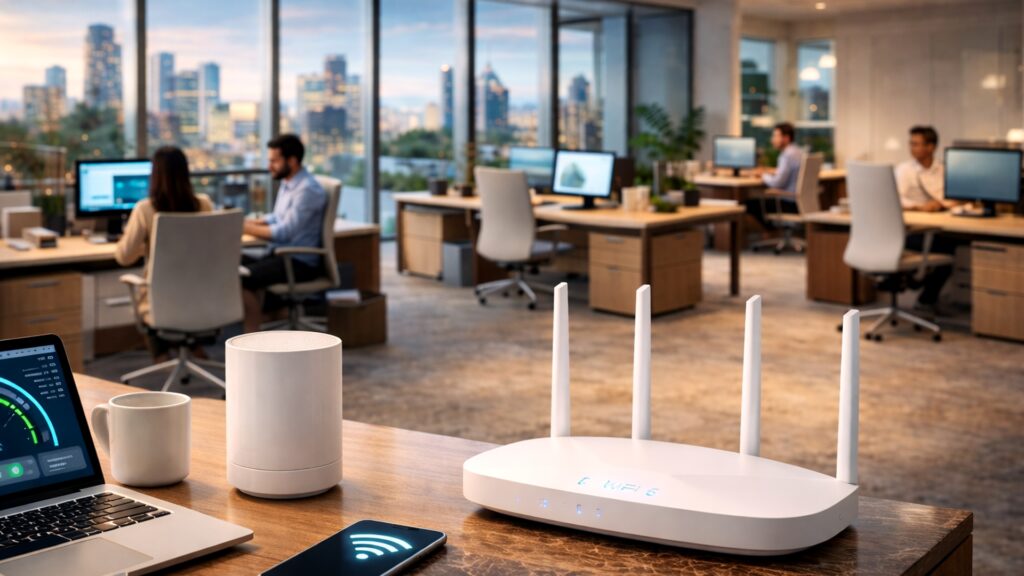
This one drives people crazy because it feels like the WiFi is lying to you.
Your phone shows full bars. The WiFi icon looks perfect. Yet pages hesitate, apps spin, calls glitch, and streaming buffers right when you want to relax. You’re connected, but it feels slow.
If you’re dealing with a home WiFi problem UAE that looks like this, the most important thing to know is simple: bars only show signal presence, not signal quality. And “slow” often isn’t speed. It’s unstable delivery.
Bars tell you WiFi exists. They don’t tell you WiFi is healthy.
What full bars actually mean (and what they don’t)
Full bars usually mean:
- your device can hear the router
- the router can hear your device
It does not guarantee:
- clean signal quality in that room
- low delay during busy hours
- stable performance during calls
- that your device is on the best band
- that your network isn’t overloaded
That’s why you can have full bars and still feel lag.
The real reasons full bars can still feel slow in UAE homes
1) The room has signal, but poor signal quality
This is the biggest hidden cause.
In many Dubai apartments, the signal reaches the room but arrives weak and noisy. Your device stays connected, but it keeps retrying in the background, which makes everything feel delayed.
Clues:
- doorway feels better than the desk or bed spot
- calls are worse in one room
- speed test looks okay near the router but feels slow where you sit
Fix direction:
Strengthen coverage in the zone you actually use. Don’t chase bars. Chase stable quality.
2) The router is in a bad spot, hidden, hot, or blocked
A router inside a cabinet can still show full bars nearby, but performance becomes unstable under load.
Common UAE placement traps:
- router behind TV units
- router inside decorative cabinets
- router near the entrance at one end of the home
- router placed low behind furniture
Heat and blockage create instability, especially during long calls and busy evenings.
A router that can’t breathe starts behaving like it has a bad mood.
3) The home gets congested at night
Full bars don’t protect you from busy hour congestion.
At night:
- multiple streams run
- gaming starts
- phones back up photos
- laptops sync cloud folders
- cameras upload
Even with full bars, the network can become overloaded and delay increases. Delay is what you feel as “slow”.
Your internet can be fast and still feel slow when it’s busy.
4) Upload saturation creates delay spikes
This one surprises people. If upload is maxed by backups or cameras, the network becomes unresponsive.
What it feels like:
- pages hang before loading
- calls become robotic
- streaming pauses even though bars are full
Fast check:
Pause a phone backup for two minutes and test again. If it instantly feels smoother, upload pressure is involved.
5) You’re on the wrong WiFi band or the wrong network
Two common issues in UAE homes:
- devices connect to a slower band even though a faster option exists
- devices connect to an old extender network that looks similar
So you see full bars, but you’re connected to the wrong source.
Clues:
- phone fast, laptop slow
- performance changes depending on which device you use
- your WiFi list shows multiple similar names
Fix direction:
Clean up network names and remove old extenders you don’t use. Keep the setup simple.
6) Tower interference and crowded airspace
In high density Dubai buildings, neighbour networks create airspace competition, especially at night.
Your device can still show full bars, but the connection becomes jumpy because it’s waiting its turn to transmit.
Clues:
- worse after 8pm
- worse near windows or edge rooms
- performance changes without you changing anything at home
Fix direction:
Improve signal quality where you sit so devices don’t operate on the edge and retry constantly.
The fast way to prove what category you’re in
Do this:
- Test beside the router
- Test in the problem room
- Test at night if that’s when it feels worst
If it’s fast near router and slow in one room, it’s coverage.
If it’s fine in the day and slow at night everywhere, it’s load or congestion.
If only one device struggles while others are fine, it’s device behaviour or band choice.
One smart test beats ten reboots.
Practical fixes that usually work
Fix 1: Improve router placement and airflow
Open air, shelf height, not hidden.
Fix 2: Strengthen the priority zone
Work desk and TV zone first. Support the weak room with better coverage planning.
Fix 3: Reduce busy hour upload pressure
Control backups during meeting and streaming time.
Fix 4: Clean up network clutter
Remove old extenders and duplicate routers. Keep one main network and guest WiFi if needed.
Fix 5: Retest using real tasks
Call test at the desk, streaming test at the TV, and one night test.
A short case style example
A Dubai apartment had full bars in the master bedroom but constant slow loading and call glitches after 8pm. The router was tucked behind a TV unit near the entrance, and phones were backing up photos every night. The bedroom was receiving weak quality signal, and busy hour uploads created delay spikes.
Once router placement was improved, the bedroom coverage was strengthened through better support, and backups were controlled during peak time, the full bars finally matched real performance. Same ISP plan, better experience.
FAQs
Q1: Why is my WiFi slow even with full bars in a home WiFi problem UAE situation
A: Because bars show connection presence, not quality. Weak signal quality, congestion, upload saturation, interference, and router placement can all cause slow feeling WiFi.
Q2: What is the fastest test to confirm it’s coverage
A: Test beside the router versus in the room where it feels slow. If it’s better near the router, it’s coverage quality in that room.
Q3: Why does it feel worse at night in UAE homes
A: More devices are online, backups run, and in towers neighbour congestion increases. Weak zones become unstable first.
Q4: Can upload saturation make WiFi feel slow
A: Yes. When upload is maxed by backups or cameras, delay increases and everything feels sluggish even with full bars.
Q5: Does router placement affect speed even if bars are full
A: Yes. Hidden routers can overheat and create unstable performance. Edge placement also forces far rooms to operate on low quality signal.
Q6: Why is my phone fast but laptop slow with full bars
A: Devices behave differently. Laptops are less forgiving and may be on a different band or clinging to a weaker connection.
Q7: Should I upgrade my plan to fix full bars but slow
A: Not automatically. If the issue is room based or time based, it’s usually setup and stability, not plan speed.
Q8: When should I call a technician
A: When the issue repeats, affects calls and streaming, or you want a clean diagnosis without trial and error.
Want your WiFi to feel as strong as the bars claim it is
If this home WiFi problem UAE is affecting your daily routine in Dubai, Fix My WiFi can help. We start with a free on site assessment, test the rooms that matter, then provide an instant transparent quote after assessment with a clear plan to improve signal quality and stability.
Call 800 4824 or +971 50 744 5606, or message fixmywifi.ae on Instagram to book.