

You make a phone call from your living room and everything sounds clear.
Then you walk into a bedroom where the mobile signal is weak, but your home WiFi is strong. The call may continue normally because your phone is able to use WiFi Calling.
So what actually changed?
For anyone asking what is wifi calling, the biggest difference is the connection carrying the call.
A normal mobile network call relies primarily on your telecom provider’s cellular network. WiFi Calling allows a compatible phone and mobile service to route supported calls through a WiFi connection instead.
Both may use your regular phone number and normal Phone app, but the network underneath the call is different.
For UAE residents, understanding that difference is useful when calls work outdoors but repeatedly become weak inside an apartment, villa or office.
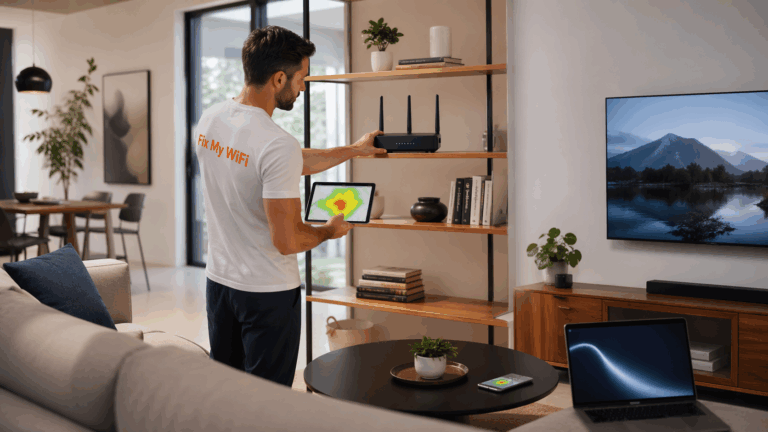
Fix My WiFi helps Dubai users diagnose the WiFi side of these problems when calls become unstable in specific rooms despite otherwise good internet service.
Quick Answer: WiFi Calling vs Mobile Calls
The simplest comparison is:
Mobile network call: Your phone communicates through the telecom operator’s cellular network.
WiFi Calling: Your phone uses a WiFi internet connection to carry a supported carrier call.
WiFi Calling is particularly useful when indoor mobile reception is poor but WiFi coverage is strong.
It does not replace your mobile number, and it is not the same as calling through WhatsApp or another messaging app.
What Is a Normal Mobile Network Call?
A normal mobile call uses nearby cellular infrastructure provided by your telecom operator.
Depending on the network and device, modern voice calls may operate through technologies such as VoLTE over 4G or voice services over newer mobile networks.
The phone connects to the mobile network, and the operator handles the call.
This works well when cellular coverage is strong.
Problems can appear inside:
- Thick concrete buildings
- Basement areas
- Interior villa rooms
- Underground parking areas
- Offices with difficult indoor reception
- Rooms far from exterior-facing windows
Your phone may show one weak bar even though the home internet connection is excellent.
That is where WiFi Calling can become useful.
What Is WiFi Calling?
WiFi Calling allows a supported phone to use WiFi to make or receive carrier-supported calls when the mobile network is weak or WiFi is otherwise preferred by the device and operator.
The call still behaves much like a normal phone call.
You generally:
- Open the normal Phone app.
- Select a contact or dial a number.
- Make the call as usual.
- Let the phone and carrier determine whether WiFi Calling is used.
You do not normally need to open a separate app for every call.
That is the key difference between WiFi Calling and internet-based messaging apps.
Does WiFi Calling Use the Same Phone Number?
Yes, in normal carrier-supported WiFi Calling, your existing mobile number is used.
The person receiving the call does not generally need WiFi Calling enabled themselves.
From their perspective, it appears like a normal call from your number.
This is one reason WiFi Calling is different from app-to-app services that require both people to use the same platform.
Which Is Better: WiFi Calling or a Mobile Network Call?
Neither is automatically better in every location.
The better connection is usually the one that is more stable where you are.
Mobile Calls May Be Better When:
- Cellular signal is strong
- You are outdoors
- You are moving between locations
- Home WiFi is weak
- The WiFi network is heavily congested
WiFi Calling May Be Better When:
- Mobile signal is weak indoors
- Home WiFi coverage is strong
- You are in an interior room
- You are working from a basement or home office
- Cellular coverage struggles inside the building
The key point is reliability.
A weak WiFi network does not become a good calling connection simply because WiFi Calling is enabled.
Does WiFi Calling Have Better Call Quality?
It can, but quality depends on the network carrying the call.
If cellular coverage is very weak and WiFi is stable, WiFi Calling may provide a clearer and more reliable experience.
But if the home WiFi:
- Drops frequently
- Has weak bedrooms
- Uses badly positioned extenders
- Suffers from congestion
- Has poor mesh coverage
then WiFi Calling may also become unstable.
This is why Fix My WiFi tests WiFi performance in the actual room where calls fail rather than looking only at the speed beside the router.
Can Your Phone Switch Between WiFi and Mobile Networks During a Call?
Supported phones and carriers may manage transitions between WiFi and cellular calling depending on network conditions.
The experience is designed to feel as seamless as possible, but transitions are not guaranteed to be perfect in every situation.
For example, you may start a WiFi call inside your Dubai villa and then walk outside.
As WiFi becomes weaker and mobile coverage improves, the phone may need to transition back toward the cellular network.
If either connection becomes unstable during the handover, the call may briefly degrade or disconnect.
That does not automatically mean the phone is defective.
Does WiFi Calling Use Mobile Data?
WiFi Calling normally uses the WiFi internet connection while connected through WiFi rather than your mobile data connection in the same way a cellular data session would.
However, billing rules, roaming behaviour and eligibility depend on the mobile operator and plan.
Users should always check their carrier’s terms for international use, roaming and supported destinations.
For the home network itself, the important requirement is a stable internet connection.
Is WiFi Calling the Same as VoLTE?
No.
Both are carrier voice technologies, but they use different access networks.
VoLTE carries voice calls over the operator’s 4G/LTE mobile network.
WiFi Calling carries supported calls through WiFi.
So your phone may use VoLTE while you are outside with good 4G coverage and WiFi Calling when you enter a home where cellular reception becomes weak.
Understanding what is wifi calling becomes easier when you think of it as another route for the same mobile service.
Is WiFi Calling the Same as WhatsApp Calling?
No.
WhatsApp calls are app-based internet calls.
WiFi Calling is integrated with supported carrier service and typically uses:
- Your normal mobile number
- Your standard Phone app
- Your mobile operator’s calling service
WhatsApp, FaceTime Audio and similar platforms depend on their individual apps and accounts.
The fact that both can use WiFi does not make them the same technology.
Why Does My Mobile Call Work Outside but Fail Inside?
Buildings can weaken cellular signals.
Walls, reinforced concrete, interior positioning and other structural features can reduce mobile coverage before the signal reaches certain rooms.
You may therefore have:
Strong cellular signal outside + weak cellular signal inside.
If your home WiFi remains strong inside, WiFi Calling may help on compatible services.
But if both the cellular signal and WiFi become weak in the same room, calls may still suffer.
Fix My WiFi can improve the WiFi side by diagnosing router placement, weak mesh nodes or coverage gaps.
Why Does WiFi Calling Work Near the Router but Drop Upstairs?
That usually points toward the local WiFi connection.
The phone may have excellent WiFi near the router but poor signal upstairs.
Common reasons include:
- Router placed on the ground floor
- Thick floor construction
- Weak mesh backhaul
- Incorrect node placement
- Router hidden in a cabinet
- Old extenders
- Large distance between access points
A fast internet package does not automatically solve these coverage problems.
Fix My WiFi maps the actual weak zones and checks whether repositioning, mesh optimisation or wired access points would provide more stable coverage.
Can Mesh WiFi Improve WiFi Calling?
Yes, when the underlying issue is weak home WiFi coverage.
Properly installed mesh WiFi can help provide more consistent coverage between rooms and floors.
However, adding more nodes without planning can create a different problem.
Mesh nodes need strong links to each other. A node placed deep inside an existing dead zone may simply repeat a weak connection.
Fix My WiFi plans mesh placement around real signal conditions and tests phone connectivity while moving through the property.
Should You Turn WiFi Calling On All the Time?
If your carrier and phone support it, keeping WiFi Calling enabled can be convenient, especially if you regularly experience poor cellular reception indoors.
The phone can then decide when the feature is useful.
However, enabling WiFi Calling will not repair weak home WiFi.
If calls consistently fail in one room, test the WiFi itself rather than repeatedly switching the feature on and off.
FAQs: WiFi Calling vs Mobile Network Calls
1. What is wifi calling compared with a normal phone call?
WiFi Calling routes a supported carrier call through WiFi, while a normal mobile call relies on the cellular network.
2. Does WiFi Calling use my normal mobile number?
Yes. Carrier WiFi Calling typically uses your existing number and standard Phone app.
3. Is WiFi Calling better than a mobile network call?
It can be better where cellular coverage is weak and WiFi is strong. With strong mobile reception, a normal cellular call may work perfectly well.
4. Does WiFi Calling work without mobile signal?
It may work with very weak or unavailable cellular coverage when the carrier, phone and WiFi connection support the feature.
5. Does WiFi Calling need internet?
Yes. It depends on an active and stable WiFi internet connection.
6. Is WiFi Calling the same as VoLTE?
No. VoLTE uses the mobile operator’s 4G network, while WiFi Calling uses WiFi.
7. Is WiFi Calling the same as WhatsApp calling?
No. WiFi Calling is a carrier-supported phone feature; WhatsApp calling takes place through the WhatsApp application.
8. Why does WiFi Calling drop when I move around my house?
Your phone may be entering a weak WiFi zone or struggling to transition between access points or cellular coverage.
9. Can mesh WiFi improve WiFi Calling?
Yes, if poor home WiFi coverage is causing the problem. Mesh must be positioned and configured correctly.
10. Can Fix My WiFi improve WiFi Calling performance in a Dubai home?
Fix My WiFi cannot control your mobile operator’s WiFi Calling service, but it can diagnose and improve the home WiFi coverage that supported WiFi Calling relies on.
Mobile Signal or WiFi? The Stronger Connection Matters
Once you understand what is wifi calling, the difference is simple.
A traditional mobile call relies on the cellular network. WiFi Calling gives supported phones another route through WiFi when indoor mobile reception becomes difficult.
But good WiFi Calling still needs good WiFi.
If calls are clear beside your router but break up in bedrooms, upstairs offices or other parts of your Dubai home, Fix My WiFi can diagnose the local coverage problem.
The team provides free on-site WiFi assessments, root-cause troubleshooting, mesh optimisation and real-room testing across Dubai.
Call 800 4824 or +971 50 744 5606, or message fixmywifi.ae on Instagram for WiFi support.