

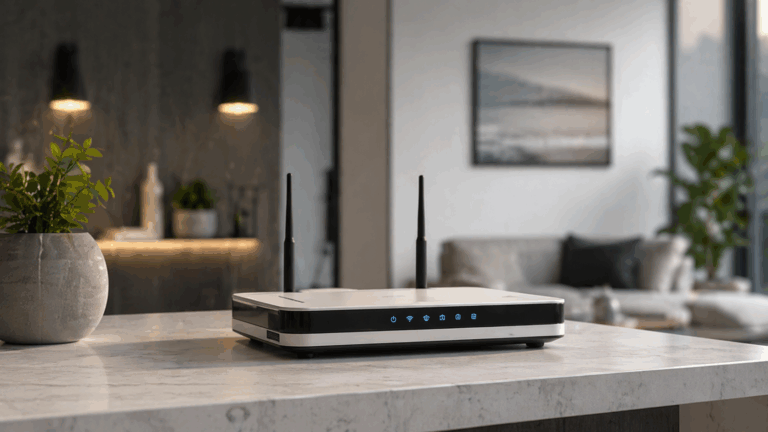
Paying for a fast internet plan does not guarantee that every room in your Dubai home will receive the same speed over WiFi.
Your internet package determines the connection delivered to the property. Your etisalat router, its location, surrounding walls, wireless conditions and the devices using it determine how much of that performance reaches you over WiFi.
That is why you might get excellent speed beside the router but struggle with video calls upstairs or experience buffering on a Smart TV in the bedroom.
e& itself notes that WiFi performance can vary depending on factors such as structural walls, steel doors, metallic surfaces, environmental conditions and other equipment around the network.
Before upgrading your internet package again, it is worth finding out where the slowdown actually begins.
Fix My WiFi helps Dubai homes separate ISP speed issues from internal WiFi coverage, router, mesh and cabling problems.
Quick Answer: Why Is My Etisalat WiFi Slow With a Fast Internet Plan?
Your etisalat router may be connected to a fast internet service while WiFi remains slow because of:
- Poor router placement
- Distance from the router
- Thick walls or multiple floors
- Weak mesh backhaul
- WiFi congestion
- Older devices
- Multiple routers or extenders
- Too many demanding devices at once
- Faulty cabling
- An ISP-side problem
The first step is to compare performance close to the router with performance in the room where you experience the problem.
Internet Speed and WiFi Speed Are Not the Same
This is one of the most important WiFi troubleshooting concepts.
The connection coming into your property is one part of the network.
The wireless link between your router and your phone, laptop or TV is another.
So a fast plan can arrive correctly at the router while the device in your bedroom receives much poorer performance.
Think of the internet plan as the capacity arriving at your home and WiFi as the system distributing that capacity around the property.
If distribution is poor, increasing the plan may not fix it.
Test the WiFi Beside the Router First
Before changing equipment, stand near the etisalat router and test the connection on a suitable modern device.
Then repeat the test in:
- Bedroom
- Home office
- Upstairs floor
- Smart TV location
- Gaming room
If performance is good near the router but falls sharply farther away, the issue is probably related to internal WiFi coverage.
If performance is poor even beside the router, the next step is to investigate the router, incoming service, device or network configuration.
Fix My WiFi uses this comparison to avoid blaming the ISP or router before the cause is clear.
Router Placement Can Reduce WiFi Performance
Where the router sits matters enormously.
Common poor locations include:
- Inside a cabinet
- Behind a television
- Beside large electronics
- In a utility cupboard
- At one end of the villa
- Low to the ground
Walls and other physical obstacles can weaken wireless signals before they reach your devices. e& also acknowledges that structural materials and surrounding equipment can affect WiFi performance.
Moving the router to a more open and central position may improve coverage without changing your internet plan.
Why Is WiFi Slow Upstairs?
Multi-storey Dubai homes are particularly challenging.
The signal from a ground-floor etisalat router may need to pass through reinforced floors and walls before reaching an upstairs bedroom.
Even a high-speed internet connection cannot prevent that signal loss.
Possible solutions include:
- Better router placement
- Mesh WiFi
- Wired access points
- Ethernet backhaul
- Structured cabling
The correct solution depends on the property.
Simply buying another extender is not always the answer.
Can Too Many Devices Slow the Network?
They can, particularly when several devices are using bandwidth heavily at the same time.
A modern home might have:
- Smartphones
- Laptops
- Smart TVs
- Gaming consoles
- Security cameras
- Tablets
- Cloud backups
- Smart-home devices
Ten connected smart bulbs are not the same as ten devices simultaneously streaming, gaming or transferring large files.
The type of traffic matters.
If WiFi slows mainly in the evening when everyone is online, simultaneous usage should be part of the diagnosis.
Are Older Devices Limiting Your Speed?
Possibly.
A new etisalat router can support modern wireless technology, but an older laptop or phone is still limited by its own WiFi hardware.
Different devices can therefore show very different speeds in the same room.
Before assuming the router is slow, test with more than one device.
If one laptop performs poorly while newer phones work normally, the laptop may be the limiting factor.
Can Mesh WiFi Help?
Yes, particularly in larger apartments, villas and multi-storey homes.
Mesh WiFi can extend useful coverage beyond the main router.
But mesh only works well when the nodes themselves have a strong connection back to the main network.
A poorly positioned node can show strong WiFi bars while delivering disappointing internet performance.
This is called a backhaul problem.
Fix My WiFi tests both the signal reaching your device and the connection between mesh nodes.
Can Old WiFi Extenders Make Things Worse?
Sometimes.
Dubai homes often accumulate networking equipment over time.
You may have:
- Etisalat router
- Old extender
- Second router
- New mesh system
If all of these continue broadcasting WiFi, devices can connect unpredictably.
You may also end up with several network names and unnecessary interference.
In some configurations, e& itself recommends disabling built-in gateway WiFi to reduce interference when another managed WiFi system is being used.
A cleaner network can perform better than simply adding another extender.
Why Are Full WiFi Bars Still Slow?
WiFi bars mainly tell you about the wireless connection between your device and the nearby access point.
They do not prove that the access point has a good connection to the internet.
For example, your phone may have full bars from a mesh node while that mesh node has weak backhaul to the main router.
You can therefore see:
Strong WiFi signal + slow internet
This is why signal strength alone is not enough to diagnose WiFi.
Could the Problem Be With e& Rather Than Your WiFi?
Yes.
You should consider the incoming service when:
- Speed is poor beside the router
- Wired performance is also poor
- Every device slows simultaneously
- Internet repeatedly drops across the whole property
- Router indicates loss of internet service
If the incoming connection is performing normally but only certain rooms are slow, the issue is more likely inside the home network.
Fix My WiFi can help isolate the fault so you know whether to troubleshoot the property network or contact e&.
Should You Replace the Etisalat Router?
Not immediately.
A router replacement makes sense when testing shows the existing equipment is genuinely unsuitable, unstable or failing.
But replacing it will not automatically solve:
- Thick walls
- Poor placement
- Weak mesh backhaul
- Faulty Ethernet
- ISP-side problems
- One outdated laptop
A professional assessment should identify the cause before recommending new hardware.
Will a WiFi 7 Router Fix Slow Etisalat WiFi?
Only if router capability is genuinely part of the problem.
WiFi 7 can provide a more capable wireless platform for compatible devices, but it cannot remove physical barriers or increase the internet speed supplied by your plan.
If the problem is a dead zone upstairs, network design may matter more than router generation.
FAQs: Slow Etisalat Router WiFi
1. Why is my etisalat router slow even though I have a fast plan?
Your plan may be fast while WiFi is limited by router placement, walls, distance, congestion, device capability or mesh configuration.
2. Why is Etisalat WiFi fast near the router but slow in my bedroom?
That usually indicates a WiFi coverage problem rather than a problem with the internet package itself.
3. Will upgrading my Etisalat internet plan improve weak WiFi?
Not necessarily. A faster plan will not automatically improve wireless coverage in weak rooms.
4. Can thick walls slow WiFi in Dubai homes?
Yes. Structural walls and other physical materials can reduce WiFi performance. e& also identifies building materials as factors that can affect WiFi.
5. Can too many devices make my WiFi slow?
Yes, especially when several devices are streaming, gaming, video calling or downloading at the same time.
6. Why do different devices show different WiFi speeds?
Each phone, laptop or TV has different wireless hardware and capabilities, so performance can vary even on the same network.
7. Can mesh WiFi improve an Etisalat connection in a villa?
Yes. Properly designed mesh WiFi can improve coverage, but node placement and backhaul must be strong.
8. Why do I have full WiFi bars but slow internet?
Your device may have a strong connection to the router or mesh node while that equipment has a poor upstream connection.
9. Should I replace my Etisalat router if WiFi is slow?
Only after testing shows that the router itself is the limitation. Coverage or configuration may be the real problem.
10. Can Fix My WiFi diagnose slow Etisalat WiFi in Dubai?
Yes. Fix My WiFi can test the incoming connection, router, mesh system, cabling and room-by-room WiFi performance to identify where the slowdown starts.
A Fast Plan Still Needs a Well-Designed Home Network
A fast internet package can only perform as well as the network distributing it around your property.
If your etisalat router delivers good performance in one room but poor WiFi upstairs, replacing the plan may not solve the real problem.
The better approach is to test the connection from the internet source through the router, mesh system and finally the device experiencing the issue.
Fix My WiFi provides free on-site WiFi assessments across Dubai with root-cause diagnosis, router and mesh testing, real-room checks and transparent quotations based on what the network actually needs.
Call 800 4824 or +971 50 744 5606, or message fixmywifi.ae on Instagram for WiFi troubleshooting.