

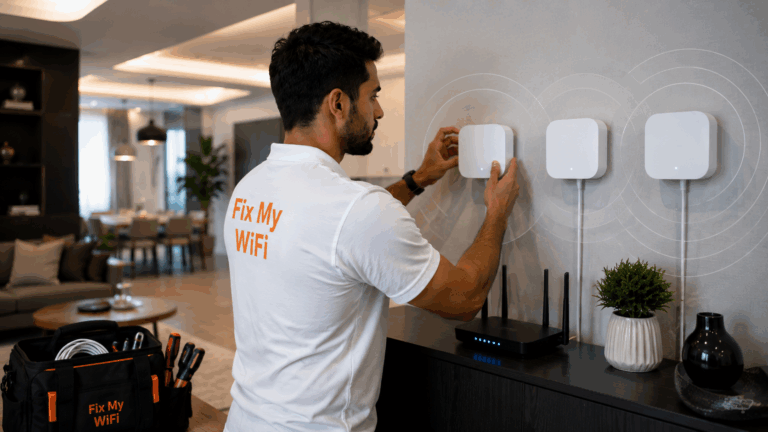
The best place for your router is usually somewhere open, elevated and reasonably central to the rooms where you use WiFi most.
It should not be hidden inside a cabinet, pushed behind a television or placed at one extreme end of the property unless there is no practical alternative.
Your etisalat router may be connected to a fast internet plan, but poor placement can still create weak bedrooms, slow Smart TVs and unstable video calls.
In Dubai apartments and villas, walls, floors, furniture and the original location of the internet connection can all affect where the router can realistically be installed.
Fix My WiFi helps homeowners test different router locations and decide whether repositioning, mesh WiFi or additional access points will provide better coverage.
Quick Answer: Where Is the Best Place for an Etisalat Router?
For most homes, aim for a location that is:
- Open rather than enclosed
- Elevated above floor level
- Close to the centre of the main living area
- Away from large electronic equipment
- Not blocked by thick walls
- Near the rooms that need the strongest WiFi
- Well ventilated
If the router cannot be moved because of the incoming connection, another access point or mesh system may be more practical than forcing one router to cover the whole property.
Why Does Router Placement Matter?
WiFi signals weaken as they travel.
The more walls, floors and obstacles between the etisalat router and your device, the harder it becomes to maintain strong performance.
Poor placement can cause:
- Weak signal
- Slow downloads
- Buffering
- Dropped calls
- Gaming lag
- Cameras going offline
- Printers disconnecting
A router does not need to be physically close to every device, but it should have a sensible position within the overall layout.
Should the Router Be in the Centre of the Home?
Ideally, yes, but this is not always possible.
A central location allows the signal to spread more evenly in multiple directions.
For example, in a two-bedroom apartment, a router positioned in an open living area may serve both bedrooms better than one installed inside a cupboard beside the entrance.
In a large villa, however, even a central etisalat router may not cover every floor.
That is where multiple access points or mesh WiFi may become necessary.
Should You Put the Router High or Low?
Slightly elevated is usually better than placing it directly on the floor.
Suitable locations may include:
- Open shelf
- Desk
- Console
- Wall-mounted position where appropriate
Avoid hiding the router underneath furniture or behind large objects.
The goal is to give the wireless signal a relatively clear path into the surrounding rooms.
Is It Bad to Put the Router Inside a Cabinet?
It can be.
A closed cabinet introduces another physical barrier around the router.
It can also reduce ventilation.
Common poor locations include:
- TV cabinet
- Electrical cupboard
- Closed wooden unit
- Storage room
- Wardrobe
If your etisalat router has been placed inside a utility cupboard near the apartment entrance, you may get good WiFi in the hallway and weak coverage in bedrooms.
Moving the router or extending the network from that location can often improve the experience.
Should the Router Be Behind the TV?
Usually not if another suitable position is available.
Televisions, entertainment units and surrounding electronics can make the area crowded.
A router hidden behind the television may also be blocked by furniture or wall panels.
If your Smart TV is buffering even though the router sits nearby, check whether both devices are squeezed into the same enclosed entertainment unit.
An open position slightly away from the television may be better.
Where Should an Etisalat Router Go in a Dubai Apartment?
For a typical apartment, the best position is often an open area between the main rooms.
For example:
Entrance cupboard: convenient for installation but potentially poor for coverage.
Living room: often better for distributing WiFi toward bedrooms and entertainment devices.
Central hallway: potentially useful if the router can be installed there safely and practically.
The exact choice depends on the apartment layout and available network cabling.
Fix My WiFi tests coverage from the actual router position before recommending relocation.
Where Should the Router Go in a Villa?
Villas are more complicated.
One router may not be enough, especially when the property has:
- Two or three floors
- Thick internal walls
- Long corridors
- Large bedrooms
- Home offices
- Outdoor areas
If possible, the main router should be positioned where it can connect effectively to the rest of the WiFi system.
In a larger property, the goal may not be to make the etisalat router reach every room directly.
Instead, it may serve as the main gateway while mesh nodes or access points distribute coverage to other floors.
Should the Router Be Upstairs or Downstairs?
There is no universal answer.
If most daily internet use happens downstairs, placing the main router there may make sense.
If the property has equal demand on several floors, relying on one router is often less effective.
A multi-storey villa may perform better with:
- Main router on one floor
- Access point on another
- Ethernet or strong mesh backhaul between them
Fix My WiFi tests floor-to-floor signal before deciding where additional coverage is needed.
Should You Put the Router Near a Window?
It depends on the type of service.
For fixed home broadband, the priority is usually distributing WiFi toward the rooms where people use it.
Placing the router beside an outside window may send a large portion of the signal toward the street or garden instead of into the property.
However, some wireless home-internet services may depend on mobile-network signal, where the router’s relationship to outdoor coverage can also matter.
The best placement therefore depends on how your internet service reaches the home.
Keep the Router Away From Large Obstacles
Try to avoid placing the router directly beside:
- Large metal surfaces
- Thick concrete structures
- Aquariums
- Large appliances
- Dense entertainment units
You do not need to redesign the entire room.
The aim is simply to avoid surrounding the router with unnecessary barriers.
Can You Move the Etisalat Router Yourself?
Sometimes, but first understand how it connects to the internet service.
The etisalat router may connect to:
- ONT
- Ethernet wall point
- Other provider equipment
Moving it may require an active Ethernet route or cable extension.
Do not disconnect or relocate provider equipment randomly if you are unsure how it is configured.
A better option may be to leave the router in place and add a properly positioned access point elsewhere.
What If the Best Router Location Has No Ethernet Point?
There are several possibilities.
Depending on the property, you may use:
- Existing network cabling
- New Ethernet cabling
- Mesh WiFi
- Additional access points
- Carefully planned wireless backhaul
The right choice depends on the distance and building structure.
Large villas often benefit from using wired infrastructure where it already exists.
Can Mesh WiFi Solve Poor Router Placement?
Yes, if it is designed properly.
Mesh WiFi allows several nodes to distribute coverage throughout the property.
But the first mesh node still needs a good connection to the router, and the other nodes need strong backhaul.
Do not place every node directly inside a dead zone.
A better pattern is to position each node where it can receive a strong signal and extend coverage toward the next weak area.
Fix My WiFi tests mesh backhaul as well as final room coverage.
How Do You Know If the Router Is in the Wrong Place?
Common signs include:
- WiFi strong near router but poor elsewhere
- Bedroom connection repeatedly drops
- Upstairs WiFi is much slower
- Smart TV buffers in one area
- Cameras struggle at the property edge
- WiFi Calling works in one room but not another
Walk through the home with a phone and compare performance.
If the problem follows distance from the router, placement or coverage design is likely involved.
Should You Buy a New Router Instead of Moving It?
Not necessarily.
A newer router cannot eliminate the effect of poor placement.
Before replacing your etisalat router, check whether:
- It works well nearby
- Weakness appears only in distant rooms
- It is hidden inside furniture
- The property simply needs multiple access points
If the router performs well at close range, the better investment may be improving how WiFi is distributed around the home.
FAQs: Best Etisalat Router Placement
1. Where should I place my etisalat router for the best WiFi?
Place it in an open, elevated and reasonably central position with as few physical obstacles as possible.
2. Should my router be in the middle of the house?
A central location can help distribute WiFi more evenly, but large properties may still require mesh nodes or access points.
3. Is it okay to put an Etisalat router inside a cabinet?
It may reduce signal and ventilation, so an open location is usually preferable.
4. Should the router be placed high up?
Slight elevation can be useful. Avoid placing the router directly on the floor or underneath furniture.
5. Can I put my router behind the TV?
It can work, but an open position away from large electronics and furniture is usually better.
6. Where should a router be placed in a Dubai villa?
The main router should support the overall network design, while additional mesh nodes or access points may be needed across multiple floors.
7. Why is WiFi weak upstairs even when the router is fast?
Walls and floors can weaken the signal before it reaches upstairs devices.
8. Can moving my router improve WiFi without changing my internet plan?
Yes. Better placement can improve usable coverage even when the internet package stays exactly the same.
9. Should I replace my router if bedrooms have weak WiFi?
Not automatically. If the router performs well nearby, the problem may be coverage rather than router capability.
10. Can Fix My WiFi find the best router location in a Dubai home?
Yes. Fix My WiFi can test the existing router position, identify weak rooms and recommend relocation, mesh WiFi, access points or cabling where appropriate.
Put the Router Where the WiFi Is Actually Needed
The best location for an etisalat router is not necessarily where it looks neatest or where the installer can hide it most easily.
It should support the rooms and devices that depend on WiFi every day.
For some Dubai apartments, moving the router into a more open position may be enough. For larger villas, proper mesh WiFi or access points may be necessary to distribute coverage between floors.
Fix My WiFi provides free on-site WiFi assessments across Dubai with router-placement checks, room-by-room testing, mesh planning and transparent quotations based on the actual property.
Call 800 4824 or +971 50 744 5606, or message fixmywifi.ae on Instagram for home WiFi support.