

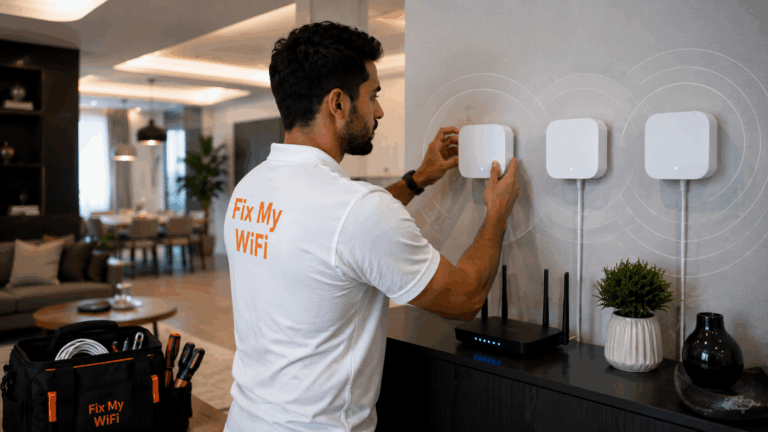
Restarting the router is easy. Forgetting and reconnecting to a WiFi network takes only a minute. Moving closer to the router can quickly confirm whether a problem is related to coverage.
But there comes a point where repeatedly restarting equipment, buying extenders or following random online fixes stops being useful.
If the same problem keeps returning, affects several rooms or involves multiple routers, mesh nodes, cabling or smart devices, calling a professional wifi technician Dubai can save time and prevent unnecessary equipment purchases.
Fix My WiFi troubleshoots Dubai homes, villas and offices by identifying the root cause first, then recommending the simplest practical fix.
Quick Answer: When Should You Call a WiFi Technician?
Professional help is worth considering when:
- WiFi keeps dropping despite restarts
- Several rooms have dead zones
- Internet works beside the router but not elsewhere
- Mesh WiFi is unstable
- Routers or extenders keep conflicting
- Smart TVs, printers or cameras repeatedly disconnect
- Wired network points do not work
- You cannot identify which router controls the network
- The same fault returns every few days
- You are about to replace expensive equipment without knowing the cause
Simple one-device problems can often be handled yourself. Repeated or property-wide problems usually deserve deeper diagnosis.
What WiFi Problems Can You Troubleshoot Yourself First?
Before calling a technician, try the basics.
You can safely check:
- Whether the router is powered on
- Whether other devices have the same problem
- Whether restarting the router helps
- Whether the issue happens only in one room
- Whether the correct WiFi password is being used
- Whether the device works closer to the router
- Whether cables are visibly loose
These checks can solve temporary problems or provide useful information for a technician.
If one phone will not connect but every other device works normally, the phone may be the issue.
If every device slows down in the same bedroom, the network itself deserves closer attention.
When Restarting the Router Stops Being a Solution
Restarting can clear temporary errors.
It should not become a daily routine.
If the WiFi works after a restart and then fails again later, the underlying problem may involve:
- Router overheating
- Faulty cabling
- Poor configuration
- ISP instability
- Overloaded equipment
- Mesh-node problems
A professional wifi technician Dubai should investigate why the restart is needed rather than simply telling you to keep doing it.
Fix My WiFi checks router stability, temperature, cabling and room performance before recommending replacement.
Call a Technician When You Have Persistent Dead Zones
A dead zone is an area where WiFi becomes extremely weak or disappears completely.
One weak corner may be manageable. Several weak bedrooms, an upstairs office and the garden are a different problem.
Common causes include:
- Router positioned at one end of the property
- Thick walls
- Concrete floors
- Large villas
- Poor mesh placement
- Old extenders
- Renovation changes
Buying another extender without testing may make the network more complicated.
A wifi technician Dubai can map the weak areas and decide whether better router placement, mesh WiFi, access points or network cabling is more appropriate.
Call When Mesh WiFi Still Drops
Mesh WiFi should improve coverage, but poorly positioned nodes can still create unstable connections.
Warning signs include:
- Strong WiFi bars but slow internet
- Calls dropping while moving between rooms
- Upstairs node frequently going offline
- Different speeds beside different nodes
- Devices staying connected to a distant node
Adding another mesh node is not always the answer.
Nodes need strong connections back to the main router or another suitable node.
Fix My WiFi tests both the final room signal and the connection between mesh nodes before changing the layout.
Call When You Have Too Many Routers or Extenders
Some Dubai homes gradually accumulate networking equipment.
You may have an ISP router, a second router, two extenders and a mesh system all operating at once.
This can create:
- Multiple WiFi names
- Double NAT
- Devices connecting to old networks
- Printer discovery problems
- Smart-home connection errors
- Interference
- Confusing passwords
If you no longer know which device controls what, professional network cleanup may be more useful than another restart.
A wifi technician Dubai can simplify the setup and reuse suitable equipment rather than replacing everything.
Call When Smart Devices Keep Going Offline
Cameras, doorbells, printers, Smart TVs and smart-home products can expose weak WiFi that phones appear to tolerate.
You may need help when:
- Cameras repeatedly disconnect
- Doorbell notifications arrive late
- Printer disappears every few days
- Smart TV buffers in one room
- Devices stop working after a router change
- Smart devices cannot connect to the current WiFi configuration
The problem may involve signal strength, frequency compatibility, network separation or the device connecting through an old extender.
Fix My WiFi tests these devices in their permanent locations instead of pairing them beside the router and assuming the problem is solved.
Call When Wired Network Points Stop Working
Not every WiFi problem is wireless.
An access point or mesh node may depend on Ethernet cabling hidden inside walls.
If the cable fails, the WiFi device may continue broadcasting while having a weak or missing connection back to the main router.
A technician may need to test:
- Wall sockets
- Patch cables
- Network switches
- Terminations
- Concealed cable runs
- Access-point connections
This is especially relevant after renovation, office fit-outs or furniture installation.
Fix My WiFi can determine whether the fault is wireless or inside the physical network infrastructure.
Call Before Buying an Expensive New Router
A new router is not automatically the solution to slow WiFi.
If the real problem is:
- Poor placement
- Thick walls
- Damaged cabling
- Weak mesh backhaul
- ISP congestion
- One faulty device
then replacing the router may change very little.
This is one of the best reasons to contact a wifi technician Dubai before spending money.
A proper assessment can establish whether the current equipment is genuinely inadequate.
When Is the Internet Provider Responsible Instead?
A WiFi technician cannot repair a provider-wide outage or external line fault.
The ISP may be responsible when:
- Wired devices also lose internet
- Every room fails simultaneously
- Router shows loss of incoming service
- Internet connection drops independently of WiFi coverage
- Performance beside the router is also poor
A technician can still help isolate the problem.
If the internal WiFi tests normally but the incoming service does not, you can contact the provider with clearer evidence.
Fix My WiFi separates ISP-side faults from internal network problems so unnecessary equipment is not recommended.
What Should a Professional WiFi Technician Actually Test?
A professional visit should involve more than standing beside the router and running one speed test.
The technician should inspect:
- Incoming internet performance
- Router placement
- Priority rooms
- Mesh nodes or access points
- Network cabling
- Connected-device behaviour
- Existing extenders
- Real applications such as video calls or streaming
Fix My WiFi performs root-cause diagnosis and real-room testing before proposing the repair.
When Should an Office Call a Technician?
Business networks should receive professional attention earlier because downtime affects employees and customers.
Call when:
- Video meetings repeatedly fail
- Guest WiFi affects staff connectivity
- POS systems disconnect
- Printers disappear
- Several employees complain about the same area
- New staff or devices overload the current setup
- The office is relocating or expanding
A business may also require access points, switches or cabling that are difficult to plan through DIY troubleshooting.
FAQs: When to Call a WiFi Technician in Dubai
1. When should I call a WiFi technician?
Call when the same problem keeps returning, affects several rooms or involves routers, mesh nodes, cabling or multiple devices.
2. Should I call a technician if restarting the router fixes WiFi?
If you need to restart the router repeatedly, yes. The underlying reason should be diagnosed.
3. Can a wifi technician Dubai fix WiFi dead zones?
Yes. A technician can test the weak areas and determine whether repositioning, mesh WiFi, access points or cabling is the better solution.
4. Do I need a technician for one device that will not connect?
Not always. If every other device works, troubleshoot the affected device first.
5. Should I call a technician before buying a new router?
Yes, if you are unsure why the network is slow. The existing router may not actually be the problem.
6. Can a WiFi technician fix mesh WiFi?
A technician can diagnose node placement, backhaul, configuration and coverage problems in an existing mesh system.
7. Can a technician tell whether the problem is my ISP or home WiFi?
Yes. Comparing wired, router-level and room-level performance can help determine where the problem begins.
8. Why does my WiFi work near the router but not upstairs?
That usually suggests an internal coverage problem caused by distance, walls, floor construction or poor mesh/access-point placement.
9. Can a technician fix printers and cameras that keep disconnecting?
A technician can troubleshoot the network connection supporting these devices and determine whether coverage or configuration is responsible.
10. How can I book a WiFi technician in Dubai?
Contact Fix My WiFi on 800 4824 or +971 50 744 5606, or message fixmywifi.ae on Instagram to arrange an assessment.
Know When DIY Troubleshooting Has Reached Its Limit
Simple WiFi problems are worth checking yourself.
Restart the router, test another device and move closer to the access point. Those steps can quickly solve temporary issues.
But when the same fault keeps returning, several rooms are affected or the network includes routers, mesh nodes, extenders and cabling, a professional wifi technician Dubai can identify the problem faster and reduce unnecessary trial-and-error purchases.
Fix My WiFi provides free on-site assessments across Dubai, with root-cause diagnosis, transparent quotations and real-room testing before handover.
Call 800 4824 or +971 50 744 5606, or message fixmywifi.ae on Instagram for WiFi support.