

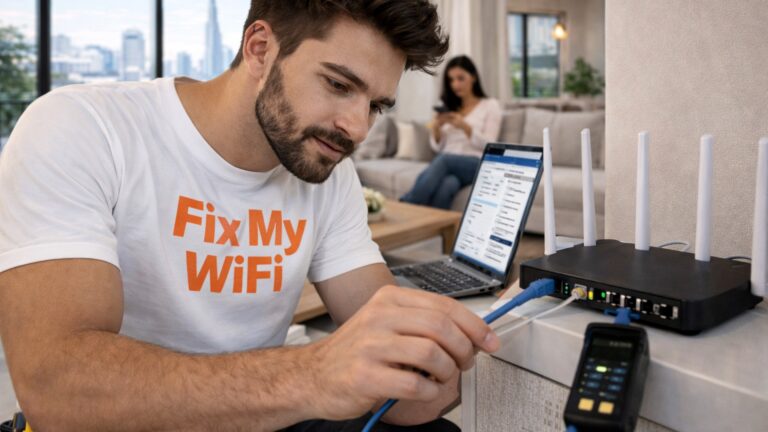
For a large UAE villa, the best wifi extender is not necessarily a single plug-in device.
In many multi-storey villas, one traditional extender may improve one weak room but still leave poor coverage upstairs, outdoors or at the opposite end of the property.
The better solution may be a properly planned mesh WiFi system, multiple wired access points or a combination of wireless coverage and Ethernet backhaul.
That is why choosing an extender based only on advertised speed can lead to disappointing results.
Fix My WiFi helps Dubai and UAE homeowners test their villas room by room before deciding whether an extender, mesh system or access-point setup will provide the most reliable coverage.
Quick Answer: What Is the Best WiFi Extender for a Large Villa?
For a large villa, choose a solution that:
- Matches your existing router
- Supports the required WiFi generation
- Has strong backhaul
- Can serve multiple floors
- Supports your device load
- Works with Ethernet where available
- Allows easy roaming between coverage areas
If your villa has several dead zones, one traditional extender is often not enough.
A mesh system or wired access points may be a better long-term solution.
Why Are Large Villas Difficult to Cover With WiFi?
Villa WiFi is challenging because signal has to travel through more physical obstacles.
Common barriers include:
- Multiple floors
- Thick concrete walls
- Long corridors
- Staircases
- Closed rooms
- External walls
- Large gardens
- Garages
A router can provide excellent speed in the living room and still struggle to reach an upstairs bedroom.
This is why the best wifi extender for a villa should be chosen based on the property layout, not just the router specifications.
Can One WiFi Extender Cover an Entire Villa?
Usually not.
A single extender can help one nearby weak area, but it still depends on the signal it receives from the main router.
If it is placed too far away, it may repeat a poor connection.
In a large villa, this creates a chain where:
Router signal is weak → extender receives weak signal → devices receive extended but slow WiFi
That is why simply adding one extender to each floor can become inefficient.
Fix My WiFi measures where the original signal starts dropping before placing any additional equipment.
When Does a Traditional Extender Make Sense?
A conventional extender can still be useful when:
- Only one room has weak WiFi
- Main router covers most of the villa
- The extender can sit in a strong-signal area
- Only a few devices need the extended coverage
- The weak area is not business-critical
For example, if one guest bedroom at the edge of the property has weaker coverage while everything else works well, an extender may be enough.
In that situation, the best wifi extender is one that integrates properly with the existing router and does not create unnecessary network complexity.
When Is Mesh WiFi Better?
Mesh WiFi is often the better choice when several areas need improved coverage.
A mesh system uses multiple nodes that work together as one network.
This can be useful for:
- Two-storey villas
- Three-storey villas
- Large ground floors
- Home offices
- Multiple bedrooms
- Entertainment rooms
A good mesh layout allows devices to move around the home without manually switching between several extender network names.
However, mesh nodes still need strong backhaul.
Poor placement can make an expensive mesh system perform badly.
What Is Backhaul and Why Does It Matter?
Backhaul is the connection between the extender or mesh node and the main network.
It can be:
- Wireless
- Ethernet
- A combination of both
This is especially important in a villa.
An extender can show full WiFi bars to your phone while having a weak link back to the router.
That often results in:
- Slow internet
- Buffering
- Unstable calls
- High gaming latency
- Inconsistent speeds
The best wifi extender setup is one where the extender itself receives a strong connection.
Is Ethernet Backhaul Better for Villas?
Often, yes.
If your villa already has structured cabling, Ethernet can connect access points or mesh nodes directly to the main network.
This reduces dependence on wireless communication between floors.
Ethernet backhaul can be especially useful for:
- Upper floors
- Home offices
- Gaming rooms
- Smart TVs
- Large entertainment areas
Fix My WiFi checks existing wall sockets and network cabinets before recommending new cabling.
Suitable cabling may already be available.
WiFi Extender vs Access Point: Which Is Better?
An access point connects back to the main network through Ethernet and creates WiFi closer to users.
A traditional extender receives and repeats WiFi wirelessly.
For a large villa, wired access points can provide more predictable coverage when cabling is available.
For example:
- Main router on ground floor
- Access point upstairs
- Another access point near the home office
- Outdoor access point for garden coverage
This approach distributes WiFi where it is needed rather than forcing one router to reach everywhere.
What About WiFi 6 or WiFi 7 Extenders?
The WiFi generation matters, but it is not the first thing to consider.
A newer extender may support:
- Higher speeds
- More devices
- Better efficiency
- Newer client hardware
But a WiFi 7 extender placed inside a weak zone can still perform worse than a well-positioned WiFi 6 access point.
The best wifi extender should complement the existing network rather than simply having the newest number on the box.
How Many Extenders Does a Villa Need?
There is no universal number.
The right quantity depends on:
- Villa size
- Number of floors
- Wall construction
- Router location
- Device usage
- Existing cabling
- Outdoor requirements
Too many extenders can create unnecessary overlap and make roaming confusing.
If you are considering three or four separate extenders, it may be time to look at mesh or access points instead.
Can an Extender Improve Outdoor WiFi?
Sometimes, but outdoor areas need careful planning.
A garden or pool area may be separated from the router by heavy exterior walls.
An indoor extender near a window might help a small nearby area, but larger spaces may need:
- Outdoor-rated access point
- Better cable route
- Dedicated outdoor coverage
The solution should match the actual area.
Do not assume one indoor extender will cover the entire garden.
What About Cameras and Video Doorbells?
These devices often sit at the edge of the network.
A camera at the gate may need stable WiFi more than high speed.
If the device keeps going offline, the issue may involve:
- Weak signal
- Long distance
- Exterior walls
- Poor extender placement
- Old network configuration
The best wifi extender for security coverage is one positioned where it can still receive a strong backhaul connection while serving the camera reliably.
Can a WiFi Extender Help a Home Office?
Yes, but a home office usually deserves a more stable connection.
If you depend on:
- Video calls
- VPN
- Cloud platforms
- Large uploads
- Remote desktop
then a wired access point or Ethernet connection may be more reliable than a basic extender.
Fix My WiFi tests the connection at the actual desk before recommending the solution.
Should You Use Several Different Extender Brands?
It is usually better to avoid unnecessary mixing.
Different brands may work together, but several independent extenders can create:
- Different WiFi names
- Separate apps
- Difficult roaming
- More complicated troubleshooting
A coordinated system is usually easier to manage in a large villa.
What Should You Check Before Buying an Extender?
Before choosing the best wifi extender, ask:
- Which rooms are actually weak?
- Is the router in the right location?
- How many floors need coverage?
- Does the villa already have Ethernet cabling?
- Do I need outdoor WiFi?
- How many devices are active?
- Would mesh or access points be simpler?
These questions are more important than picking a model based on marketing claims alone.
FAQs: WiFi Extenders for Large UAE Villas
1. What is the best wifi extender for a large UAE villa?
The best option is one that matches your router, receives strong backhaul and fits the villa layout. For several dead zones, mesh or access points may be better than one extender.
2. Can one WiFi extender cover a three-storey villa?
Usually not. Multi-storey villas often need several strategically placed access points or mesh nodes.
3. Is mesh WiFi better than an extender for a villa?
Often, yes. Mesh is usually easier to manage when multiple rooms or floors need coverage.
4. Where should I place a WiFi extender in a villa?
Place it between the router and weak area, where the original WiFi signal is still reasonably strong.
5. Is Ethernet backhaul better than wireless extension?
Yes, when available. Ethernet can provide a more stable connection between access points or mesh nodes.
6. How many WiFi extenders does a villa need?
There is no fixed number. The requirement depends on the property size, walls, floors and router location.
7. Will a WiFi 7 extender improve villa coverage?
It may improve capability, but it cannot overcome poor placement or severe physical barriers by itself.
8. Can a WiFi extender improve garden coverage?
It can help in some cases, but larger outdoor areas may require a dedicated outdoor access point.
9. Should I use an extender for a home office?
It can work, but wired Ethernet or a well-positioned access point may provide a more stable connection for important work.
10. Can Fix My WiFi recommend the right WiFi extender for a Dubai villa?
Yes. Fix My WiFi can assess every floor, test existing router coverage, review cabling and determine whether an extender, mesh system or access points will work best.
For a Large Villa, Think Beyond a Single Extender
The best wifi extender for a large UAE villa is not always a plug-in device.
If only one room is weak, an extender may solve the problem. If multiple floors, bedrooms, offices and outdoor areas are affected, the stronger solution may be mesh WiFi, wired access points or a combination of both.
The goal is reliable coverage throughout the property—not simply adding more wireless boxes.
Fix My WiFi provides free on-site WiFi assessments across Dubai, including villa coverage testing, mesh planning, extender placement, cabling checks and real-device testing.
Call 800 4824 or +971 50 744 5606, or message fixmywifi.ae on Instagram for villa WiFi support.