

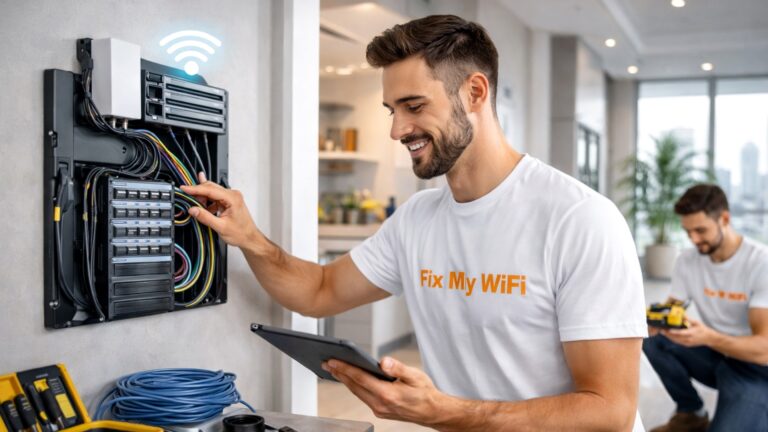
A router is one of the most important devices in your home network.
It connects your phones, laptops, Smart TVs, printers, cameras and other devices to the internet and helps direct data between them.
In most modern homes, the router also creates the WiFi network you see on your phone.
So if you are asking what is a router, the simplest answer is:
A router manages traffic between your home devices and the internet while usually providing the wireless network those devices connect to.
But the router is only one part of the complete connection.
Your internet provider brings the service into the property, while the router distributes that connection around your home.
Fix My WiFi helps Dubai households diagnose whether problems come from the router, incoming internet service, WiFi coverage, mesh system or network cabling.
Quick Answer: What Does a Router Do?
A router typically:
- Connects multiple devices to the internet
- Creates your home WiFi network
- Directs data between devices and the internet
- Gives devices local IP addresses
- Manages network traffic
- Supports security features
- May provide guest WiFi
- Connects wired Ethernet devices
- Can work with mesh nodes or access points
Without a router, managing a modern home full of connected devices would be much more difficult.
What Is a Router in Simple Terms?
Think of your internet connection as a road entering your home.
The router acts like a traffic controller.
When your laptop requests a website, the router sends that request toward the internet and makes sure the response comes back to the correct laptop.
At the same time, someone else might be:
- Streaming on a Smart TV
- Joining a video call
- Gaming
- Using a security camera
- Browsing on a phone
The router manages all of these connections at once.
Is a Router the Same as WiFi?
Not exactly.
WiFi is the wireless technology your devices use to connect to the network.
The router is the device that manages the network and often broadcasts that WiFi.
A router can also connect devices through Ethernet cables.
So you can have:
Router + WiFi connection
or
Router + wired Ethernet connection
Both are part of the same home network.
Is a Router the Same as a Modem?
No.
The terms are often confused because some internet providers supply equipment that combines several functions into one unit.
In simple terms:
Modem or ONT: Connects your property to the internet provider’s service.
Router: Directs that internet connection to devices throughout your home.
In fibre-connected homes, an ONT may receive the fibre service, while the router connects to that equipment and provides the home network.
Some setups combine functions, so the equipment may look different depending on your internet provider.
Why Does Your Home Need a Router?
Most homes have many devices sharing one internet connection.
A router allows all those devices to communicate through the same service.
A modern Dubai home may include:
- Smartphones
- Laptops
- Tablets
- Smart TVs
- Gaming consoles
- Printers
- Cameras
- Video doorbells
- Smart speakers
- Home automation devices
The router organises these connections and provides a central point for managing the network.
How Does a Router Create WiFi?
A wireless router contains radios that broadcast WiFi signals.
Your phone or laptop detects the WiFi network name, also called the SSID, and connects using the network password.
The router then sends data between the wireless device and the wider network.
How well this works depends on factors such as:
- Router location
- Walls
- Distance
- Device capability
- Interference
- Router technology
That is why a fast router does not automatically mean strong WiFi everywhere in a large property.
Why Does Router Placement Matter?
If you understand what is a router, the next important question is where it should be placed.
WiFi signals weaken as they travel through walls and floors.
A router hidden inside a cabinet near the entrance may provide poor coverage in bedrooms at the other end of the apartment.
Good placement is usually:
- Open
- Elevated
- Well ventilated
- Reasonably central
- Away from large obstacles
Fix My WiFi tests the signal in real rooms instead of judging the network only beside the router.
Can One Router Cover an Entire Apartment?
Often, yes.
A well-positioned modern router may provide sufficient WiFi for many smaller or medium-sized apartments.
However, the result depends on:
- Apartment size
- Wall construction
- Router location
- Number of devices
- Required performance
If one bedroom remains weak, repositioning the router or adding an extender may help.
If several rooms are affected, mesh WiFi may be a better option.
Can One Router Cover a Large Villa?
Not always.
Large Dubai villas can include:
- Multiple floors
- Thick walls
- Long corridors
- Gardens
- Home offices
- Detached rooms
One router may provide excellent performance nearby and poor signal elsewhere.
In these properties, the router may act as the central gateway while additional mesh nodes or access points distribute WiFi across the villa.
Fix My WiFi plans whole-home coverage instead of expecting one router to overcome every physical obstacle.
What Is the Difference Between a Router and a WiFi Extender?
A router manages the network.
A WiFi extender takes an existing wireless signal and repeats it into another area.
The connection may look like:
Internet → router → WiFi extender → device
An extender depends on the router.
If the router or incoming connection is unstable, adding an extender will not fix the root problem.
What Is the Difference Between a Router and Mesh WiFi?
A traditional router usually provides WiFi from one main location.
A mesh system uses several coordinated nodes around the property.
One unit typically acts as the main router or gateway while other nodes extend coverage.
Mesh is useful for:
- Large apartments
- Villas
- Townhouses
- Multiple floors
- Several dead zones
A good mesh system still needs proper placement and strong backhaul.
What Is the Router IP Address?
Every router has a local network address.
Your phone or computer may show this as:
- Router
- Gateway
- Default Gateway
You can often enter this local IP address into a browser to access router settings.
Depending on the model, the admin page may allow you to change:
- WiFi name
- WiFi password
- Guest WiFi
- Security settings
- Connected devices
Be careful with advanced settings because incorrect changes can affect the entire network.
Does a Better Router Make the Internet Faster?
Sometimes it can improve the wireless performance available inside the home, but it cannot increase the internet bandwidth supplied by your provider.
For example, a newer router may improve:
- WiFi capacity
- Device handling
- Wireless efficiency
- Local network performance
But if your ISP connection itself is slow, a new router cannot create additional internet speed.
This is why Fix My WiFi tests the incoming service separately from the home WiFi.
When Should You Replace a Router?
Router replacement may make sense when:
- Equipment is old or failing
- It repeatedly restarts
- Modern devices greatly exceed its capabilities
- Ports are damaged
- It cannot support the required network design
- You are upgrading to a newer WiFi standard
Do not replace a router purely because one bedroom has weak coverage.
The real problem may simply be location or property size.
What Is a Dual-Band or Tri-Band Router?
Wireless routers may support multiple WiFi frequency bands.
Dual-band routers commonly support two wireless bands, while tri-band equipment provides an additional radio or band depending on the model.
More bands can help distribute wireless traffic, particularly in busy networks.
However, the number of bands alone does not determine whether the router will cover your home properly.
Placement and network design still matter.
How Does a Router Protect Your Network?
Routers commonly provide security functions such as:
- WiFi encryption
- Firewall features
- Administrator authentication
- Guest network separation
- Connected-device controls
These features reduce risk when configured correctly.
You should use a strong WiFi password and a separate strong router administrator password where supported.
No router can make a network completely risk-free, but good configuration can improve security significantly.
FAQs: Understanding Home Routers
1. What is a router in simple words?
A router is a device that connects your home devices to the internet and directs network traffic between them.
2. Does a router provide WiFi?
Most home wireless routers do. They broadcast the WiFi network used by phones, laptops, TVs and other devices.
3. Is a router the same as a modem?
No. A modem or ONT connects to the provider service, while the router distributes that connection around your home.
4. Can you have internet without a router?
A single device may connect directly in some network setups, but modern homes usually need a router to manage multiple devices and WiFi.
5. Does a better router increase internet speed?
It can improve local WiFi performance, but it cannot exceed the speed available from your internet service.
6. Why is WiFi slow far from the router?
Distance, walls and floors weaken wireless signals as they travel through the property.
7. Is one router enough for a Dubai villa?
Not always. Large or multi-storey villas may require mesh WiFi or wired access points.
8. What is the difference between a router and WiFi extender?
A router manages the network, while an extender repeats an existing WiFi signal into another area.
9. What is the difference between a router and mesh WiFi?
A router usually broadcasts from one main point, while mesh WiFi uses multiple coordinated nodes to cover larger areas.
10. Can Fix My WiFi install or troubleshoot a router in Dubai?
Yes. Fix My WiFi can assess the router, incoming connection, WiFi coverage, mesh setup and connected devices to determine what the network actually needs.
Your Router Is the Centre of Your Home Network
Understanding what is a router makes WiFi troubleshooting much easier.
The router does more than broadcast a network name. It connects your devices, directs traffic and acts as the central point between your home network and the internet.
But even a good router needs the right placement and network design.
If your Dubai home has dead zones, unstable devices or several routers and extenders, Fix My WiFi can identify the root cause before recommending changes.
Fix My WiFi provides free on-site WiFi assessments across Dubai with router testing, mesh planning, cabling checks and real-room performance testing.
Call 800 4824 or +971 50 744 5606, or message fixmywifi.ae on Instagram for home WiFi support.