

If your WiFi disappears several times a day, video calls suddenly freeze or every device loses internet at once, repeatedly restarting the router is not a long-term solution.
An etisalat router can disconnect for several different reasons.
The problem may involve the incoming internet service, router power, overheating, damaged cabling, poor WiFi coverage, mesh configuration or even one individual device.
The most useful first step is to understand what is actually disconnecting.
Is the router losing internet completely? Is WiFi disappearing? Or is only one device dropping while everything else remains online?
That distinction can quickly narrow down the cause.
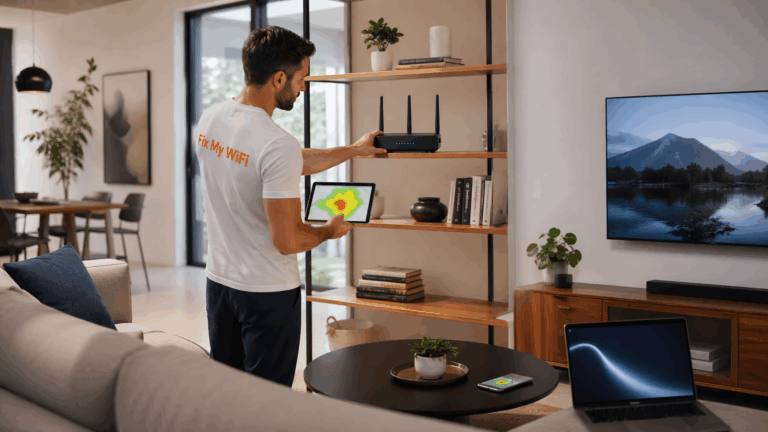
Fix My WiFi helps Dubai homes identify whether repeated disconnections originate from the ISP connection, router, WiFi coverage, cabling or mesh setup.
Quick Answer: Why Does an Etisalat Router Keep Disconnecting?
Common causes include:
- Temporary ISP connection problems
- Router overheating
- Unstable power supply
- Loose or damaged cables
- Poor router placement
- WiFi interference
- Weak mesh backhaul
- Multiple routers conflicting
- Old or failing equipment
- A problem with one connected device
If every device disconnects simultaneously, investigate the router or incoming connection first.
If only one room or device has the problem, the issue is more likely inside the WiFi network.
First, Check Whether WiFi or the Internet Is Disconnecting
These are two different problems.
WiFi disappears completely
If your phone cannot even see the WiFi network name, the router or wireless system may have restarted or stopped broadcasting.
WiFi stays connected but says “No Internet”
Your phone is still communicating with the router, but the router may have lost its connection to the internet.
Only one device disconnects
The router may be fine.
The issue could involve:
- Device WiFi settings
- Saved network credentials
- Wireless adapter
- Compatibility
- Device software
Understanding this difference prevents unnecessary router resets.
Could the Etisalat Internet Connection Be Dropping?
Yes.
If every wired and wireless device loses internet at exactly the same time, the problem may be upstream of your home WiFi.
Useful signs include:
- All devices lose internet together
- WiFi remains visible but websites stop loading
- Wired Ethernet devices also go offline
- The router indicates loss of internet connectivity
In this situation, replacing mesh nodes or moving the router will not solve the root problem.
A Fix My WiFi assessment can help separate an ISP-side problem from an internal network fault before you start replacing equipment.
Could the Router Be Overheating?
Possibly.
Routers are designed to operate continuously, but they still need ventilation.
Problems can occur when the etisalat router is:
- Inside a closed cabinet
- Surrounded by other hot equipment
- Covered by objects
- Installed in a poorly ventilated space
If the router becomes unusually hot and appears to restart by itself, improve its ventilation and monitor whether the behaviour changes.
Do not block ventilation openings.
If repeated restarts continue, the hardware or power supply may need further investigation.
Check the Power Connection
An unstable power connection can look exactly like a WiFi problem.
Check whether:
- Power adapter is firmly connected
- Wall socket is reliable
- Extension lead is loose
- Router lights restart unexpectedly
- Another device is affecting the same power strip
If the router completely powers off and boots again during the disconnection, focus on power or hardware before troubleshooting WiFi settings.
Avoid using random replacement power adapters unless they are confirmed compatible with the router.
Check the Cables
A loose cable can cause intermittent internet loss.
Inspect the cables connected to the router and related network equipment.
Look for:
- Loose Ethernet connectors
- Damaged cables
- Bent connectors
- Cables repeatedly pulled by furniture
- Unstable wall sockets
Do not disturb provider fibre connections unnecessarily.
If the fault started after furniture was moved, renovation work was completed or the network cabinet was rearranged, cabling deserves particular attention.
Fix My WiFi can test internal Ethernet links and network points where they affect router stability.
Why Does the Router Disconnect Only in Certain Rooms?
If the router remains online but devices disconnect in one part of the home, this is usually a coverage problem rather than the etisalat router restarting.
Common areas include:
- Upstairs bedrooms
- Home offices
- Balconies
- Gardens
- Rooms behind thick walls
- Areas far from the router
Test the same phone beside the router and then in the problem room.
If it works reliably nearby and disconnects farther away, focus on WiFi coverage.
Possible solutions include better placement, mesh WiFi or wired access points.
Can WiFi Interference Cause Disconnections?
Yes.
WiFi operates in shared wireless spectrum, so neighbouring networks and other equipment can affect performance.
This is particularly relevant in apartment buildings where many routers may operate nearby.
Symptoms can include:
- Speed changing throughout the day
- Connection becoming unstable at busy times
- Video calls breaking up
- Devices disconnecting and reconnecting
Modern routers usually manage wireless channels automatically, so manually changing advanced settings should not be the first step unless you understand the network.
A proper assessment should compare signal quality and congestion where the issue actually occurs.
Can Mesh WiFi Cause Router Problems?
Mesh systems can create instability when they are poorly positioned or incorrectly connected.
For example:
- Node too far from main router
- ISP router and mesh both performing routing
- Old extender still operating
- Multiple WiFi networks overlapping
- Weak wireless backhaul
The etisalat router may be working normally while the mesh node serving another floor repeatedly loses its connection.
This can make users believe the main router is disconnecting.
Fix My WiFi checks the connection between the main router and each mesh node rather than relying only on the WiFi bars shown on a phone.
Can Multiple Routers Cause Disconnections?
Yes, especially if several routers are operating independently.
A Dubai home may gradually accumulate:
- ISP router
- Secondary router
- Old extender
- Mesh system
If more than one router is handling DHCP or routing, you may see:
- Unstable devices
- IP conflicts
- Double NAT
- Printer problems
- Gaming issues
- Devices moving between different networks
Simplifying the network can improve reliability.
A professional setup should make it clear which device controls routing and which equipment simply extends WiFi coverage.
Why Does Restarting the Router Fix the Problem Temporarily?
A restart clears temporary router processes and re-establishes network connections.
That can make the internet work again.
But if the fault returns regularly, the restart is treating the symptom rather than the cause.
Repeated restarts may point to:
- ISP instability
- Hardware problems
- Overheating
- Configuration issues
- Faulty cabling
- Mesh problems
If you restart your etisalat router every day, it is time to investigate why.
Should You Factory Reset the Router?
Not as the first troubleshooting step.
A factory reset can remove customised settings such as:
- WiFi name
- WiFi password
- Guest network
- Router configuration
It may also disconnect Smart TVs, printers, cameras and other devices.
Try a normal restart first.
Only factory reset when there is a clear reason and you understand what configuration may need to be restored afterward.
Could One Device Be Causing the Problem?
If only one laptop or phone disconnects, yes.
Check whether other devices remain online.
If they do, investigate the affected device before changing the entire home network.
Try:
- Forgetting and reconnecting to WiFi
- Restarting the device
- Checking the WiFi adapter
- Updating device software
- Testing another network
One faulty laptop does not necessarily mean the etisalat router is failing.
Should You Replace the Router?
Only after diagnosis.
Router replacement may be appropriate if the hardware is genuinely unstable, damaged or unsuitable.
But replacing it will not solve:
- ISP outages
- Weak upstairs coverage
- Damaged cabling
- Poor mesh placement
- One faulty device
Fix My WiFi checks the full network before recommending new equipment.
FAQs: Etisalat Router Disconnecting
1. Why does my etisalat router keep disconnecting?
Common causes include ISP instability, overheating, power problems, faulty cabling, WiFi interference, mesh issues or failing router hardware.
2. Why does my WiFi disconnect but the router stays on?
The router may remain powered while the wireless connection becomes unstable because of coverage, interference or network configuration.
3. Why does Etisalat WiFi say connected but no internet?
Your device may still be connected to the router while the router has lost its internet connection.
4. Why does restarting the router fix WiFi temporarily?
Restarting clears temporary issues, but repeated failures usually mean the underlying cause has not been resolved.
5. Can router overheating cause WiFi to disconnect?
Yes. Poor ventilation or excessive heat can contribute to unstable router behaviour.
6. Can mesh WiFi cause frequent disconnections?
Yes. Weak backhaul, poor node placement or incorrect configuration can make mesh-connected devices unstable.
7. Why does WiFi disconnect only upstairs?
That usually points to weak coverage between the main router and the upstairs area.
8. Should I factory reset my Etisalat router if it keeps disconnecting?
Not immediately. Restart it first and diagnose the cause because a factory reset can erase customised settings.
9. Should I replace my router if WiFi keeps dropping?
Only after confirming that the router itself is the problem rather than the ISP, cabling, mesh system or coverage.
10. Can Fix My WiFi diagnose repeated Etisalat WiFi disconnections in Dubai?
Yes. Fix My WiFi can test the router, incoming connection, mesh nodes, cabling and problem rooms to identify where the disconnection begins.
Stop Restarting the Router and Find the Real Cause
An etisalat router that disconnects once may only have experienced a temporary problem.
A router that disconnects every day needs proper diagnosis.
The issue could be the incoming service, router hardware, poor ventilation, damaged cabling, mesh backhaul or WiFi coverage elsewhere in the property.
Fix My WiFi provides free on-site WiFi assessments across Dubai with root-cause diagnosis, router and mesh testing, cabling checks and real-room testing before recommending a solution.
Call 800 4824 or +971 50 744 5606, or message fixmywifi.ae on Instagram for WiFi troubleshooting.