

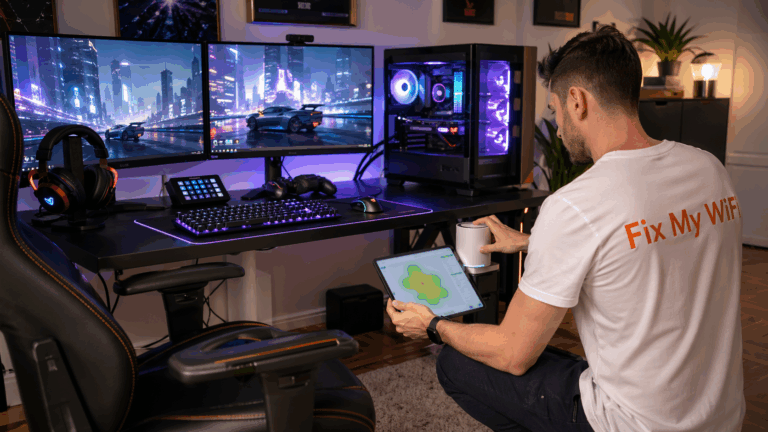
A pop-up may only occupy a small space, but its internet requirements can quickly become much bigger than expected.
You may have a POS terminal, staff tablets, QR lead capture, an online inventory system, product demonstrations and content teams uploading photos or videos at the same time.
So can you simply turn on a phone hotspot and run everything from it?
For one or two low-demand devices, possibly.
For a customer-facing pop-up where payments, registrations or demonstrations depend on internet access, relying on one phone can become a significant weak point.
Fix My WiFi provides professional event WiFi setup in Dubai for pop-ups, launches, exhibitions and temporary brand activations that need reliable operational connectivity.
Quick Answer: Is a Phone Hotspot Enough for a Pop-Up?
A phone hotspot may be enough when:
- Only one or two staff devices need internet
- The activation is very small
- There is no business-critical POS or check-in
- Mobile coverage is consistently strong
- It is being used as temporary backup rather than the main network
Dedicated event WiFi is worth considering when:
- POS transactions depend on connectivity
- Multiple staff devices are active
- QR registration or lead capture is important
- Product demonstrations need internet
- Guest WiFi is required
- Staff upload large files or video
- The activation runs for several days
- Losing internet would interrupt sales or customer experience
How Does a Phone Hotspot Work?
A phone hotspot uses your phone’s mobile-data connection and shares it with nearby devices over WiFi.
For quick personal use, this can be extremely convenient.
A laptop and tablet can connect within minutes without installing networking equipment.
The limitation is that your entire pop-up then depends on:
- One phone
- One SIM
- One mobile-network connection
- The phone’s battery
- The hotspot’s device capacity
- Signal quality at the stand
That may be perfectly acceptable for backup.
It becomes more questionable when your sales counter depends on it all day.
Why Can a Hotspot Work During Setup but Fail When the Venue Gets Busy?
Mobile-network conditions can change.
You may test your phone hotspot during build-up when the venue is quiet and see excellent performance.
Later, visitors arrive and many more phones begin using nearby mobile networks.
Your experience can then change.
This is why event connectivity should be tested under realistic conditions where possible.
The Fix My WiFi guide to planning WiFi for pop-ups and launches explains why critical zones such as POS counters, demos and staff areas should be designed around peak use rather than an empty venue.
Can a Phone Hotspot Support POS?
Sometimes, but ask what happens if that connection drops.
At a retail or design pop-up, the POS system may be directly tied to revenue.
If the hotspot disconnects during a transaction, staff may have to:
- Wait for reconnection
- Restart the payment process
- Move the device
- Switch to another connection
For a temporary emergency, that may be manageable.
For the main event network, business-critical payment devices deserve a more deliberate connection strategy.
What About QR Lead Capture?
Lead capture systems often depend on cloud access.
A staff tablet may need to:
- Open forms
- Scan QR codes
- Retrieve customer details
- Upload information
- Sync with CRM tools
One tablet may use very little bandwidth, but ten devices working simultaneously place more demand on the connection.
The key issue is usually stability rather than maximum speed.
A reliable 20 Mbps connection can be more useful than a hotspot showing 100 Mbps one minute and dropping the next.
Can Product Demonstrations Use a Hotspot?
It depends on what the demonstration does.
A simple web page may be fine.
A connected product demonstration involving:
- Cloud software
- Video
- Live data
- AR or interactive content
- Remote platforms
may require more predictable connectivity.
The worst time to discover your phone hotspot is unstable is when a customer, buyer or media contact is standing in front of the demo.
For exhibitions and brand activations, Fix My WiFi recommends testing event WiFi before doors open using the actual devices and workflows planned for the stand.
How Many Devices Can Use a Phone Hotspot?
The technical limit varies by phone, carrier and device configuration.
But the more important question is how well those devices perform together.
A hotspot serving:
- POS terminal
- Two tablets
- Three staff phones
- Laptop
- Demo screen
has a very different workload from one laptop checking email.
Even when every device connects successfully, they all share the same mobile-data connection.
What Happens If the Phone Leaves the Stand?
This is an overlooked risk.
If the person carrying the phone hotspot:
- Goes for lunch
- Leaves the venue
- Takes a call and changes settings
- Runs out of battery
- Enables airplane mode
the entire network may disappear.
Business connectivity should not depend accidentally on one team member remembering to leave their phone on the counter.
A dedicated router or event network removes that dependency.
Can You Use a 5G Hotspot Router Instead?
A dedicated cellular router can be more suitable than a personal phone for temporary event connectivity.
It can provide:
- Dedicated network hardware
- Continuous power
- Better placement flexibility
- More deliberate staff WiFi
- Easier backup planning
However, it still depends on mobile-network signal and capacity at the venue.
For important events, cellular connectivity may work best as part of a wider event WiFi plan rather than being assumed to be perfect everywhere.
Should Staff and Guests Share the Same Connection?
Usually not when staff devices are business-critical.
If customers are offered guest WiFi, their activity may include:
- Social uploads
- Video streaming
- Cloud backups
- Browsing
That traffic should not interfere with:
- POS
- Registration
- Product demos
- Staff systems
A professional event WiFi network can separate operational and guest connectivity so business devices receive priority.
What If the Venue Already Has WiFi?
Venue WiFi may be sufficient, but test it for your specific stand requirements.
Ask:
- Is there a dedicated wired connection available?
- How many devices can your stand use?
- Is guest WiFi shared across the venue?
- Can you connect your own router or access point?
- Are there venue networking restrictions?
Do not assume that because your phone browses successfully in the lobby, the POS and demo area will remain stable throughout the event.
When Is a Phone Hotspot a Good Backup?
A phone hotspot can be useful as a contingency.
If the main event connection experiences a problem, a prepared hotspot may temporarily keep one priority device online.
For example:
- One POS terminal
- Lead-capture tablet
- Staff laptop
But backup should be tested beforehand.
Make sure staff know:
- Which device provides the hotspot
- Password
- Which critical equipment should connect
- Who is responsible for it
Backup should reduce confusion, not create more of it.
What Should Be Tested Before the Pop-Up Opens?
Walk through the real workflow:
- Complete a test POS transaction.
- Submit a lead form.
- Test QR scanning.
- Run the product demonstration.
- Upload a realistic media file.
- Test staff devices together.
- Test the backup connection.
If the network fails during any of these, solve it before customers arrive.
FAQs: Phone Hotspots for Pop-Ups
1. Is a phone hotspot enough for a Dubai pop-up?
It can be enough for a very small, low-demand setup, but business-critical POS, demos or multiple devices may need more reliable event connectivity.
2. Can a phone hotspot run a POS terminal?
Yes, if the POS supports the connection and mobile data is stable, but relying on one phone creates a single point of failure.
3. Can several staff tablets use one phone hotspot?
Yes, within the phone’s supported limits, but all devices share the same mobile connection and available capacity.
4. Why does a hotspot become slower when an event gets busy?
Mobile-network demand, more connected hotspot devices and changing signal conditions can affect performance.
5. Is 5G enough for a pop-up?
It can provide strong performance where coverage and capacity are good, but it should still be tested at the exact event location.
6. Should guest WiFi use the same hotspot as POS?
Preferably not when payment and operational devices are business-critical.
7. Is venue WiFi better than a phone hotspot?
It depends on the venue network. Test the actual stand area and ask what connectivity is available for exhibitors.
8. Should a hotspot be used as backup internet?
Yes, it can be a useful backup for selected critical devices if tested in advance.
9. When should a pop-up book dedicated event WiFi?
Consider dedicated connectivity when sales, registrations, cloud demos or multiple staff devices depend on stable internet.
10. Can Fix My WiFi set up WiFi for Dubai Design Week pop-ups?
Yes. Fix My WiFi can assess pop-up connectivity requirements, configure staff and guest networks, support POS and demos, and test priority devices before opening.
A Phone Hotspot Is Convenient. Your Pop-Up May Need Something More Reliable.
A phone hotspot is excellent for quick connectivity and can be valuable as a backup.
But if your Dubai Design Week 2026 pop-up depends on POS, lead capture, product demonstrations and several connected devices, one personal phone may become an unnecessary point of risk.
Plan the network around the activities that cannot afford to stop.
Fix My WiFi provides pop-up and event WiFi setup across Dubai, including free on-site assessments where possible, temporary network installation, staff and guest separation, POS connectivity and pre-event testing.
Call 800 4824 or +971 50 744 5606 for professional pop-up and event WiFi support.