

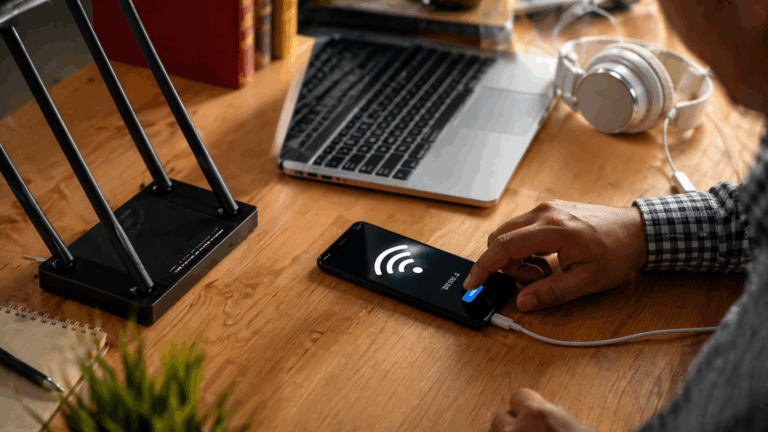
A wifi 7 router can improve wireless capacity and performance, but it does not automatically give a large villa better whole-home coverage.
That distinction matters.
Many Dubai homeowners upgrade to a newer router expecting weak upstairs bedrooms, garden areas or home offices to suddenly receive strong WiFi. Sometimes performance improves near the router, but the original dead zones remain.
Why?
Because WiFi coverage is affected by the physical layout of the property, not just the generation of the router.
For large villas, the better question is not simply whether WiFi 7 is faster. It is whether your home needs better router placement, mesh WiFi, wired access points or Ethernet backhaul.
Fix My WiFi assesses Dubai villas room by room before recommending whether a WiFi 7 upgrade will genuinely improve the network.
Quick Answer: Will a WiFi 7 Router Improve Villa Coverage?
Possibly, but not necessarily enough to solve dead zones.
A wifi 7 router can provide newer wireless capabilities and higher potential throughput for compatible devices, but physical barriers still affect how far WiFi travels.
Large villas often need a combination of:
- Correct router placement
- Multiple access points
- Properly positioned mesh nodes
- Ethernet backhaul
- Structured cabling
- Room-by-room testing
If your main problem is weak coverage upstairs, simply replacing WiFi 6 with WiFi 7 may not be enough.
Why Do Villas Have More WiFi Problems?
Villas create challenges that smaller apartments do not.
Signal may need to pass through:
- Multiple floors
- Reinforced concrete
- Thick internal walls
- Long corridors
- Large open areas
- Exterior walls
- Garages
- Gardens
The farther the signal travels, the harder it becomes to maintain strong performance.
That is why a powerful router positioned at one end of the property can still leave weak rooms elsewhere.
A professional WiFi design treats the villa as several coverage zones rather than one large room.
What Does WiFi 7 Actually Improve?
WiFi 7 is based on the IEEE 802.11be standard and introduces capabilities designed to improve wireless throughput, efficiency and capacity.
One of the key features is Multi-Link Operation, which allows compatible devices to use multiple wireless links more intelligently.
WiFi 7 can also support wider channels and higher data rates where the equipment, devices and local spectrum availability support them.
These improvements can make a wifi 7 router more capable than older generations.
But they do not remove walls or shorten the distance between floors.
Will WiFi 7 Reach Further Than WiFi 6?
Not automatically.
A newer WiFi generation does not guarantee dramatically greater range.
The usable signal still depends on:
- Frequency band
- Router antennas
- Transmit power
- Device capability
- Building materials
- Interference
- Router location
Higher-frequency connections can provide excellent performance at shorter distances but may weaken more quickly through walls.
This means a WiFi 7 router can deliver impressive speed in the same room while still struggling to reach a distant bedroom.
What Is More Important for a Villa: Speed or Coverage?
Coverage usually comes first.
A very fast connection is not useful if the device cannot maintain a stable signal.
For a villa, the ideal order is:
- Achieve reliable coverage in priority rooms.
- Ensure access points or mesh nodes have strong backhaul.
- Confirm devices can move between areas reliably.
- Then optimise for speed.
Fix My WiFi follows this approach because headline speed means little if the network becomes unstable in real use.
Can WiFi 7 Mesh Improve Villa Coverage?
Yes, this is where WiFi 7 can become much more useful.
A WiFi 7 mesh system uses several nodes instead of relying on one router.
This can help distribute coverage across:
- Ground floor
- Upper floors
- Bedrooms
- Home offices
- Entertainment areas
- Outdoor spaces
However, mesh nodes still need good placement.
A node placed inside an existing dead zone may have a weak connection back to the main system.
That can create a situation where your phone shows strong WiFi bars but internet performance remains poor.
Fix My WiFi tests the connection between nodes as well as the signal reaching each room.
What Is Mesh Backhaul?
Backhaul is the connection between mesh nodes and the main network.
It can be:
- Wireless
- Ethernet
- A combination of both
This is critical in large villas.
If a distant mesh node has weak wireless backhaul, every device connected through that node may be limited.
Where structured cabling already exists, Ethernet backhaul can often provide a more stable backbone.
A wifi 7 router or mesh system performs best when the network behind it is also well designed.
Is One WiFi 7 Router Enough for a Large Villa?
Sometimes, but usually only when the layout is favourable.
One router may work well in:
- Smaller villas
- Open-plan layouts
- Properties with central router placement
- Homes with fewer structural barriers
It may struggle in:
- Three-storey villas
- Long properties
- Homes with reinforced walls
- Villas with outdoor coverage requirements
- Homes where the router sits inside a cabinet
Buying the most expensive single router does not guarantee whole-villa coverage.
Should You Add More Mesh Nodes?
Not automatically.
More nodes do not always mean better WiFi.
Too many nodes can create unnecessary overlap or make device roaming less predictable.
The correct number depends on:
- Villa size
- Floor layout
- Wall construction
- Existing Ethernet
- Router location
- Priority rooms
Fix My WiFi places nodes based on measurements rather than simply adding one to every floor.
Can Structured Cabling Improve WiFi 7 Performance?
Yes.
Structured Ethernet cabling can support wired access points or mesh backhaul throughout a villa.
This can be especially valuable when wireless signals struggle between floors.
Cabling can help provide:
- Stronger backhaul
- More predictable performance
- Better access-point placement
- Reduced dependence on wireless hops
If your villa already has network points, test them before installing new cables.
Suitable existing cabling may be reusable.
Will WiFi 7 Help Upstairs Bedrooms?
It can, but only if the network reaches them properly.
If the router is downstairs behind several walls and floors, upgrading the router alone may provide limited improvement.
A better solution might be:
- Mesh node upstairs
- Wired access point
- Ethernet-backed mesh
- Better central placement
Fix My WiFi tests upstairs performance before deciding which option is appropriate.
What About Outdoor WiFi?
A standard indoor router is not always the best tool for garden or pool coverage.
Exterior walls can significantly weaken WiFi.
For larger outdoor areas, the network may need:
- Outdoor-rated access point
- Better access-point positioning
- Ethernet cabling
- Dedicated outdoor coverage design
A wifi 7 router inside the villa cannot guarantee strong signal across the entire garden.
Is WiFi 7 Worth It for a New Villa?
It can be a sensible choice if you are building a new home network from the beginning.
The strongest case is when the villa also has:
- WiFi 7-compatible phones and laptops
- High-speed internet
- Multiple simultaneous users
- Gaming
- Home-office requirements
- Large local file transfers
- New structured cabling
- New mesh deployment
In that situation, WiFi 7 can be part of a long-term network design rather than a standalone router purchase.
Should You Upgrade an Existing WiFi 6 Mesh?
Only if there is a clear reason.
If the current WiFi 6 mesh provides reliable coverage and adequate performance, changing to WiFi 7 may not transform everyday usage.
Upgrade when:
- Existing equipment is ageing
- Devices increasingly support WiFi 7
- Network capacity is becoming a limitation
- You are redesigning the home network anyway
Do not replace a working mesh system just because a newer label exists.
FAQs: WiFi 7 for Dubai Villas
1. Will a wifi 7 router improve coverage in a villa?
It may improve performance, but it does not automatically eliminate dead zones. Large villas often need mesh nodes or access points.
2. Is WiFi 7 better than WiFi 6 for a villa?
WiFi 7 offers greater technical capability, but coverage still depends heavily on property layout, placement and backhaul.
3. Can one WiFi 7 router cover a three-storey villa?
It may struggle. Multi-storey villas often require multiple access points or a properly designed mesh system.
4. Does WiFi 7 have longer range?
Not necessarily. Range depends on frequency, hardware, obstacles and placement, not simply the WiFi generation.
5. Is WiFi 7 mesh better for large homes?
It can be a strong option when correctly designed, especially for homes with many newer devices.
6. Does Ethernet make WiFi 7 mesh better?
Yes. Ethernet backhaul can provide a strong connection between mesh nodes or access points.
7. Why do I have full WiFi bars but slow internet upstairs?
The device may have a strong connection to a mesh node while that node has weak backhaul to the main router.
8. Should I add more mesh nodes to improve villa WiFi?
Only when testing shows they are needed. Poorly positioned extra nodes may not improve performance.
9. Will WiFi 7 improve outdoor coverage?
Not automatically. Large gardens may require dedicated outdoor access points or better placement.
10. Can Fix My WiFi design WiFi 7 coverage for a Dubai villa?
Yes. Fix My WiFi can assess the villa, test each floor, review existing cabling and determine whether WiFi 7 mesh, access points or another solution provides the best coverage.
For Villas, Network Design Matters More Than the Router Box
A wifi 7 router can provide excellent performance, but a villa network succeeds or fails based on how that performance is distributed through the property.
If the router is badly positioned, the mesh nodes have weak backhaul or several floors lack proper coverage, upgrading the WiFi generation alone may not solve the problem.
For Dubai villas, the strongest setup is usually built around coverage first and speed second.
Fix My WiFi provides free on-site WiFi assessments across Dubai, including villa coverage testing, mesh planning, cabling checks and real-device testing before recommending an upgrade.
Call 800 4824 or +971 50 744 5606, or message fixmywifi.ae on Instagram for a villa WiFi assessment.