

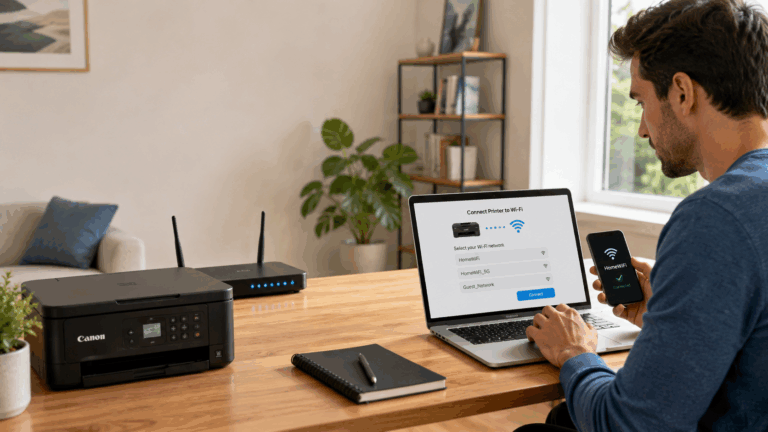
A good WiFi speed result is not simply the highest number you can achieve beside the router.
For most UAE homes, a good connection is one that reliably supports the activities your household actually uses—video calls, streaming, gaming, cloud work and multiple connected devices—in the rooms where those activities happen.
That means a wifi speed test should be interpreted alongside:
- Your internet package
- Number of users
- Device capability
- Distance from the router
- WiFi generation
- Mesh or extender setup
- Latency
- Upload performance
You may get an impressive result beside the router but still have poor WiFi in the bedroom or home office.
Fix My WiFi helps Dubai households test WiFi room by room to identify whether poor performance comes from the ISP connection, router, mesh system or coverage design.
Quick Answer: What Is a Good WiFi Speed?
There is no single perfect number.
As a practical guide, many common home activities can work comfortably with approximately:
- 10–25 Mbps: browsing, email and light streaming
- 25–50 Mbps: HD streaming, video calls and general home use
- 50–100 Mbps: multiple devices, 4K streaming and remote work
- 100 Mbps+: larger households, heavier streaming, gaming and downloads
- Several hundred Mbps: useful for high-speed plans, large downloads and busy multi-device homes
These are general usage ranges, not guarantees.
A stable 100 Mbps connection in the home office may be more useful than 700 Mbps beside the router and 10 Mbps upstairs.
What Does a WiFi Speed Test Measure?
A typical wifi speed test measures several things.
Download Speed
This measures how quickly data reaches your device.
It affects:
- Streaming
- Web browsing
- Software downloads
- Cloud files
- Social media
Download speed is usually the largest number displayed.
Upload Speed
Upload speed measures how quickly your device sends data.
It matters for:
- Video calls
- Uploading files
- Cloud backups
- Sending large videos
- Remote work
If download speed looks excellent but video meetings remain poor, upload performance may deserve attention.
Ping or Latency
Latency measures the delay between your device and another point on the network.
Lower latency is generally better.
Latency is particularly important for:
- Gaming
- Video calls
- Remote desktop
- Interactive applications
High speed with unstable latency can still feel frustrating.
What WiFi Speed Is Good for Browsing?
Basic browsing does not require extremely high speed.
Email, websites, messaging and social media can work comfortably on relatively modest connections.
If browsing feels slow despite a strong wifi speed test, the problem may involve:
- DNS
- Device performance
- Network congestion
- Website itself
- High latency
Do not assume every slow website means you need a faster internet package.
What WiFi Speed Is Good for Netflix and Streaming?
Streaming requirements depend on video quality and how many people are watching at once.
HD streaming typically needs far less bandwidth than 4K.
The bigger issue in many homes is simultaneous use.
For example:
- One TV streaming
- Another TV streaming
- Two phones browsing
- Laptop on video call
All of these share the available connection.
A wifi speed test should therefore be performed while thinking about your household’s normal peak usage.
What Is a Good Speed for 4K Streaming?
A stable connection of around 25 Mbps or more to the individual device is generally enough for many 4K streaming situations.
But your home may need significantly more total internet capacity if several devices stream simultaneously.
The important number is the speed reaching the Smart TV—not merely the speed measured beside the router.
Fix My WiFi tests Smart TVs and entertainment areas directly when buffering is the complaint.
What Is a Good WiFi Speed for Working From Home?
For typical remote work, consistency matters more than extreme speed.
Video conferencing, cloud applications, email and file sharing can often work well with moderate bandwidth.
A good home-office connection should provide:
- Stable download
- Stable upload
- Low packet loss
- Reasonable latency
- No repeated disconnections
A 100 Mbps stable connection can provide a better working experience than a much faster connection that drops every few minutes.
What Is a Good WiFi Speed for Gaming?
Gaming does not always require huge download speeds.
Latency and connection stability are often more important.
A gamer may experience problems even with a fast wifi speed test if:
- Ping is high
- Packet loss occurs
- WiFi signal fluctuates
- Mesh backhaul is weak
- Other users saturate the connection
For fixed gaming systems, Ethernet can provide a more predictable connection where practical.
What WiFi Speed Is Good for a Smart Home?
Most smart-home devices do not need high speeds individually.
Smart bulbs, sensors and switches usually transfer very little data.
Cameras and video doorbells are more demanding because they transmit video.
A smart home benefits most from:
- Stable coverage
- Consistent upload speed
- Good router placement
- Reliable mesh or access points
If cameras repeatedly go offline, running a wifi speed test at their exact installation locations can help identify weak coverage.
Why Is My Speed Test Fast Beside the Router but Slow in My Bedroom?
That usually indicates a WiFi coverage problem.
Your internet connection may be working correctly, but wireless performance decreases as the signal travels through:
- Walls
- Floors
- Furniture
- Distance
- Other obstacles
This is common in larger Dubai apartments and villas.
Possible solutions include:
- Router repositioning
- Mesh WiFi
- Better extender placement
- Wired access points
- Ethernet backhaul
Upgrading the internet plan alone may not improve the weak bedroom.
How Much of Your Internet Plan Should You Get Over WiFi?
Do not expect every wireless device in every room to reproduce the exact advertised speed of your internet package.
Real WiFi performance depends on:
- Router capability
- Device capability
- Distance
- Frequency band
- Interference
- Network load
A modern laptop near the router may perform very differently from an older Smart TV behind several walls.
This is why Fix My WiFi compares the incoming connection with real-room performance instead of judging everything by one percentage.
Why Do Two Devices Show Different Speed Test Results?
Different devices have different hardware.
Your newer phone may support:
- Newer WiFi standards
- More antennas
- Wider channels
while an older laptop or television may have more limited wireless hardware.
Background applications can also affect results.
For accurate comparison, use the same device when testing different rooms.
How Should You Run a WiFi Speed Test Properly?
For a useful home assessment:
- Use the same modern device for each test.
- Test beside the main router.
- Test in the home office.
- Test in bedrooms.
- Test near Smart TVs.
- Test upstairs if applicable.
- Repeat results rather than relying on one test.
Also test at a time when the home is normally busy.
A midnight test with no other users may not represent the experience at 8 PM.
Should You Test Over Ethernet Too?
Yes, when possible.
Ethernet testing can help separate internet speed from WiFi performance.
For example:
Ethernet fast + WiFi slow: likely internal wireless issue.
Ethernet slow + WiFi slow: investigate router, ISP or incoming connection.
This is one of the most useful diagnostic comparisons.
Why Does WiFi Speed Change Throughout the Day?
Several factors can cause variation:
- More household users
- Large downloads
- Cloud backups
- Streaming
- Neighbouring WiFi activity
- ISP-side conditions
- Device background processes
One wifi speed test is only a snapshot.
Repeated tests under similar conditions provide more useful information.
Is Download Speed the Only Number That Matters?
No.
A home connection should also be judged by:
- Upload speed
- Latency
- Packet loss
- Stability
- Coverage
For example, a very high download speed does not compensate for repeated disconnections during video calls.
The complete experience matters more than one headline number.
When Should You Call a WiFi Technician?
Professional help is useful when:
- Speed is excellent beside router but poor elsewhere
- Different floors have large performance gaps
- Mesh nodes are slow
- Extenders provide strong bars but weak speed
- Ethernet is fast but WiFi is consistently poor
- Network drops repeatedly
- You cannot determine whether the ISP or home WiFi is responsible
Fix My WiFi can test the connection from the incoming service through the router and into each priority room.
FAQs: WiFi Speed Tests in UAE Homes
1. What is a good wifi speed test result for a home?
A good result is one that reliably supports your household’s activities in the rooms where WiFi is actually used.
2. Is 100 Mbps good for home WiFi?
Yes, 100 Mbps can comfortably support many households, although actual requirements depend on simultaneous users and activities.
3. Is 50 Mbps enough for working from home?
Often, yes. Stable upload, download and latency matter more than extremely high speed for typical remote work.
4. What WiFi speed is good for 4K streaming?
Around 25 Mbps or more to the individual streaming device is generally sufficient for many 4K streaming situations.
5. What speed is good for gaming?
Gaming can work on moderate bandwidth, but low latency and stable connectivity are usually more important than very high download speed.
6. Why is my WiFi speed slower than my internet package?
WiFi performance can be reduced by distance, walls, device limitations, congestion and router capability.
7. Why is my speed test fast near the router but slow upstairs?
That usually indicates a WiFi coverage or mesh-backhaul issue rather than a limitation of the internet package.
8. Should I test WiFi in every room?
Test every priority area where you stream, work, game or use important smart devices.
9. Is Ethernet speed testing more accurate?
Ethernet is useful for checking the underlying internet connection because it removes many wireless variables.
10. Can Fix My WiFi test WiFi speeds throughout a Dubai home?
Yes. Fix My WiFi can compare incoming internet performance with room-by-room WiFi, mesh, extender and device results to identify where speed is being lost.
A Good Speed Test Is the One That Reflects Real Life
A strong wifi speed test result beside the router is useful, but it does not tell you whether the network works properly throughout your home.
The better test is whether video calls stay stable at your desk, 4K streaming works on the Smart TV and bedrooms receive reliable coverage.
For Dubai homes, consistency across the property matters as much as headline speed.
Fix My WiFi provides free on-site WiFi assessments across Dubai with router testing, room-by-room speed checks, mesh and extender diagnosis, and real-device performance testing.
Call 800 4824 or +971 50 744 5606, or message fixmywifi.ae on Instagram for home WiFi troubleshooting.