

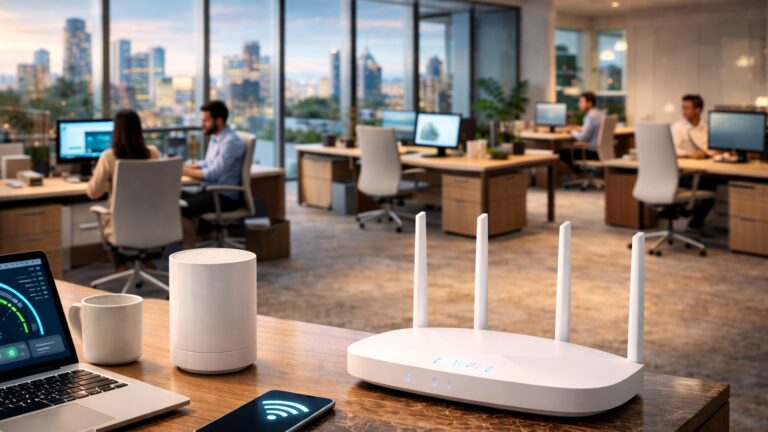
An office network can appear completely normal until employees start reporting dropped calls, slow cloud files, disappearing printers or meeting-room WiFi that fails during busy periods.
The problem is that many network issues are intermittent.
A speed test taken at 9 AM may look excellent, while the same network struggles when 40 employees are online later in the day.
That is why network monitoring should look at how the office network behaves over time—not just whether the internet is currently connected.
For Dubai businesses that rely on cloud platforms, video calls, VoIP, POS systems and shared devices, regular monitoring can help identify performance and connectivity problems before they become daily disruptions.
Fix My WiFi provides business WiFi solutions for Dubai offices, including network assessment, performance optimisation and ongoing connectivity support.
Quick Answer: What Should Office Network Monitoring Check?
A good network monitoring process should review:
- Internet uptime
- Router and firewall health
- Network switches
- WiFi access points
- Bandwidth usage
- Latency and packet loss
- Connected-device load
- Coverage problems
- Network-security events
- Backup internet or failover
- Cabling faults
- Firmware and equipment status
The purpose is not simply to collect technical data.
It is to find patterns that explain why users experience problems.
1. Internet Uptime
Start with the connection entering the office.
Monitoring should help identify:
- Complete outages
- Short connection drops
- Repeated interruptions
- Performance changes throughout the day
This helps separate ISP-side problems from issues inside the office.
If the internet line remains stable while one meeting room repeatedly loses connectivity, the internal network is more likely to be responsible.
2. Router and Firewall Health
The router or firewall sits at the centre of many business networks.
Checks should include:
- Uptime
- Unexpected restarts
- WAN connectivity
- CPU or memory load where available
- Firmware status
- Internet failover status
If a router regularly restarts under heavy load, employees may experience repeated outages even though the WiFi access points themselves are working normally.
Regular IT and WiFi maintenance can help businesses review routers, switches, access points and network health before faults become more disruptive.
3. WiFi Access Point Performance
An office may have several access points covering different zones.
Network monitoring should help determine whether:
- All access points are online
- One access point carries too many users
- Certain areas repeatedly lose connectivity
- Devices are connecting to distant access points
- Access points have stable wired backhaul
One overloaded access point can create problems in a meeting room while the rest of the office works perfectly.
That is why access points should be monitored individually rather than treating “office WiFi” as one single connection.
4. Bandwidth Usage
Bandwidth monitoring helps show where network capacity is being used.
Business traffic may include:
- Video meetings
- Cloud backups
- Large file transfers
- Software updates
- CCTV
- Guest WiFi
- Streaming
A sudden increase does not automatically mean there is a fault.
The goal is to understand whether business-critical applications still receive enough capacity during peak usage.
Fix My WiFi’s office WiFi checklist explains why office networks should be designed around calls, files, meetings and peak-hour workloads.
5. Latency and Packet Loss
Download speed is only one part of network performance.
Video meetings, VoIP and remote applications are sensitive to:
- Latency
- Jitter
- Packet loss
An office can have hundreds of Mbps available and still experience poor calls if packets arrive inconsistently.
Monitoring these metrics can reveal problems that a basic speed test misses.
If employees report robotic audio, frozen meetings or delayed remote-desktop sessions, stability deserves as much attention as bandwidth.
6. Network Switches
Switches connect wired devices, access points, phones and other office equipment.
Monitoring or regular health checks should confirm:
- Switches remain online
- Ports are operating correctly
- PoE devices remain powered
- Link speeds are correct
- No ports repeatedly disconnect
A failing switch port can make one access point appear to be a WiFi problem when the real issue is wired infrastructure.
7. Connected Devices
Understanding how many devices are using the network is important.
An office may have more connected equipment than staff because each person can use:
- Laptop
- Phone
- Tablet
The network may also support:
- Printers
- Cameras
- VoIP phones
- Smart displays
- Meeting-room equipment
- Guest devices
Network monitoring should look for unusual device growth or equipment that remains connected when it should not be.
For networks handling sensitive business data, WiFi security services can also help review device access, guest networks and network protection.
8. WiFi Coverage and Signal Quality
Monitoring software alone cannot replace physical coverage testing.
A floor plan may contain areas where:
- Signal is weak
- Interference is high
- Roaming is poor
- Access points overlap badly
Common problem zones include:
- Glass meeting rooms
- Corner offices
- Reception
- Corridors
- Store rooms
A professional WiFi consultation and site survey can combine signal mapping with network-performance checks to identify why specific areas behave differently.
9. Guest WiFi
Guest WiFi should not be forgotten.
Check:
- Whether it is separated appropriately
- How much bandwidth it uses
- Whether too many devices remain connected
- Whether guest traffic affects staff systems
Visitors should have internet access without unnecessarily competing with critical office applications or reaching internal business devices.
10. Internet Failover
If the business has a backup connection, monitoring should confirm it is actually available.
A backup that has never been tested cannot automatically be trusted during an outage.
Check:
- Primary connection status
- Backup connection status
- Automatic switchover
- Restoration to primary service
- Critical applications during failover
Businesses should test failover before they need it.
11. Cabling and Wired Links
Some recurring “WiFi problems” begin in Ethernet cabling.
Warning signs include:
- Access point repeatedly disconnecting
- Link dropping to 100 Mbps
- Wall socket failing intermittently
- Switch port losing connection
If monitoring shows one network path repeatedly failing, the physical cable and termination should be tested.
This is especially important in offices with structured cabling hidden above ceilings or inside walls.
12. Firmware and Equipment Status
Routers, switches and access points should also be reviewed for:
- Available supported updates
- End-of-life hardware
- Compatibility issues
- Repeated errors
Updates should be controlled rather than installed randomly during business hours.
After significant configuration or firmware changes, critical applications should be tested again.
What Should Network Monitoring Alert You About?
Useful alerts might include:
- Internet connection down
- Access point offline
- Switch unavailable
- Excessive bandwidth usage
- Backup connection activated
- Unusual device activity
- High latency
- Repeated packet loss
An alert should point toward a meaningful issue rather than overwhelm staff with notifications nobody understands.
Is Network Monitoring Only for Large Companies?
No.
A smaller business can benefit if internet downtime affects daily operations.
Examples include:
- Clinic relying on cloud records
- Retail store using online POS
- Agency running constant video calls
- Restaurant processing digital orders
- Small office using VoIP
The complexity of the monitoring system should match the network.
A 10-person office does not need the same infrastructure as a multi-floor corporate environment.
FAQs: Network Monitoring for Dubai Offices
1. What is network monitoring?
It is the ongoing observation of network availability, performance, devices and infrastructure to identify faults and unusual behaviour.
2. What should an office network monitor?
Key areas include internet uptime, routers, switches, access points, bandwidth, latency, packet loss, devices and failover.
3. Can network monitoring detect slow WiFi?
It can help identify performance patterns, but physical signal and coverage testing may also be required.
4. Can it detect an access point going offline?
Yes. Managed monitoring can identify when network equipment becomes unavailable.
5. Should bandwidth usage be monitored?
Yes. It helps identify peak demand and whether heavy traffic affects business-critical applications.
6. Why should offices monitor latency?
High or unstable latency can affect VoIP, video meetings and interactive cloud applications even when download speed looks good.
7. Can network monitoring improve security?
It can help identify unusual devices or network behaviour, but it should form part of a wider security setup.
8. Should backup internet be monitored?
Yes. The backup connection and automatic failover should be checked so they are ready when the primary service fails.
9. How often should an office network be checked?
Critical networks benefit from ongoing monitoring alongside scheduled maintenance and periodic on-site testing.
10. Can Fix My WiFi provide network monitoring for Dubai offices?
Yes. Fix My WiFi can assess office network health, monitor WiFi performance, review routers and switches, test access points and provide ongoing IT and WiFi maintenance support.
Monitor the Network Before Users Have to Report the Problem
Good network monitoring is not simply watching whether the internet light is green.
It means understanding uptime, WiFi performance, switch health, connected devices, latency and backup connectivity before small issues become office-wide problems.
Fix My WiFi provides office network monitoring and maintenance support across Dubai, including free on-site assessments, WiFi audits, performance optimisation and ongoing network health checks.
Call 800 4824 or +971 50 744 5606 for professional business network support.